Step 1: Register and create a gift list
Once registered, you can create a new list from your dashboard. You’ll notice that the share link is encoded in base64 format.
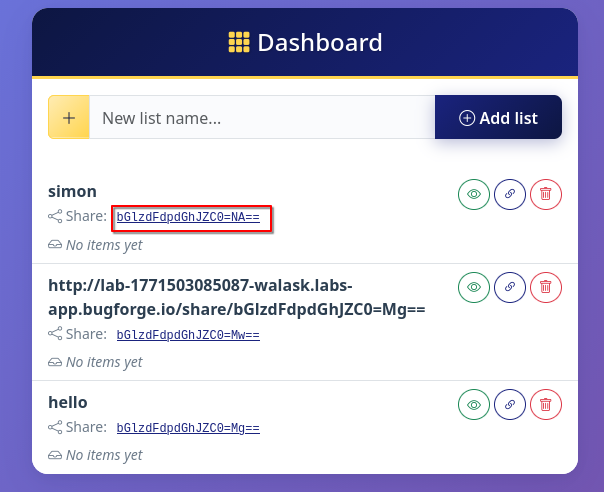
Step 2: Decode
Use whatever software you like to decode the base64 and you’ll see that it decodes to “listWithId-<number>”
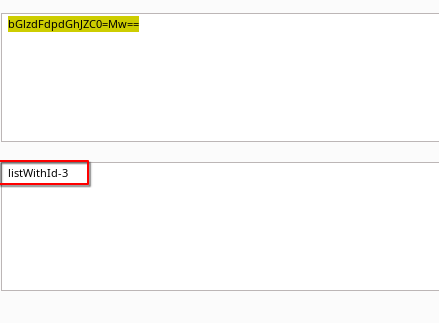
If we change the number and encode with base64, we get a new URL:
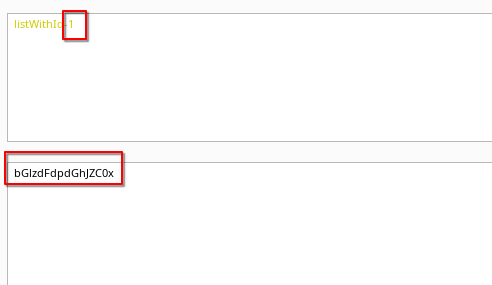
If you want, you can use the following python script to generate you some URLs to append to the main web URL:
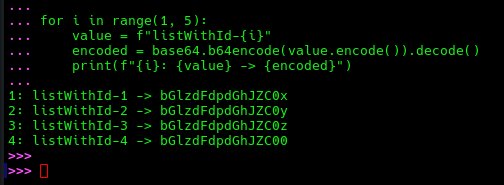
import base64

for i in range(1, 5):
    value = f"listWithId-{i}"
    encoded = base64.b64encode(value.encode()).decode()
    print(f"{i}: {value} -> {encoded}")
Step 3: Browse to the new gift list
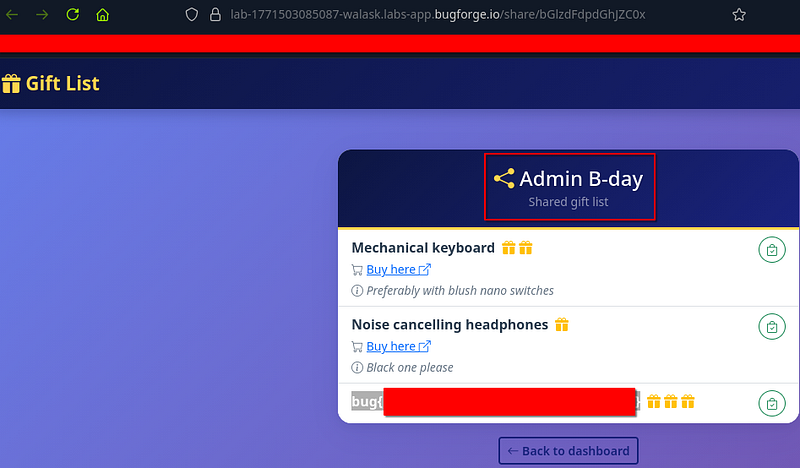
Append your share link (encoded in base64) to the URL and browse to it. You’ll be able to access Admin’s gift list and get the flag here.
Thanks for reading!
🍺 Quick message to readers: if my writeups help you, please consider a small donation to my buymeacoffee link here. This is not required but is very much appreciated! 🍺



